
Basics of Graphics

Wednesday, April 8

Today we will…

  • Importing Data
  • What makes a good graphic?
  • Lab 2: Exploring Rodents with ggplot2

Working with External Data

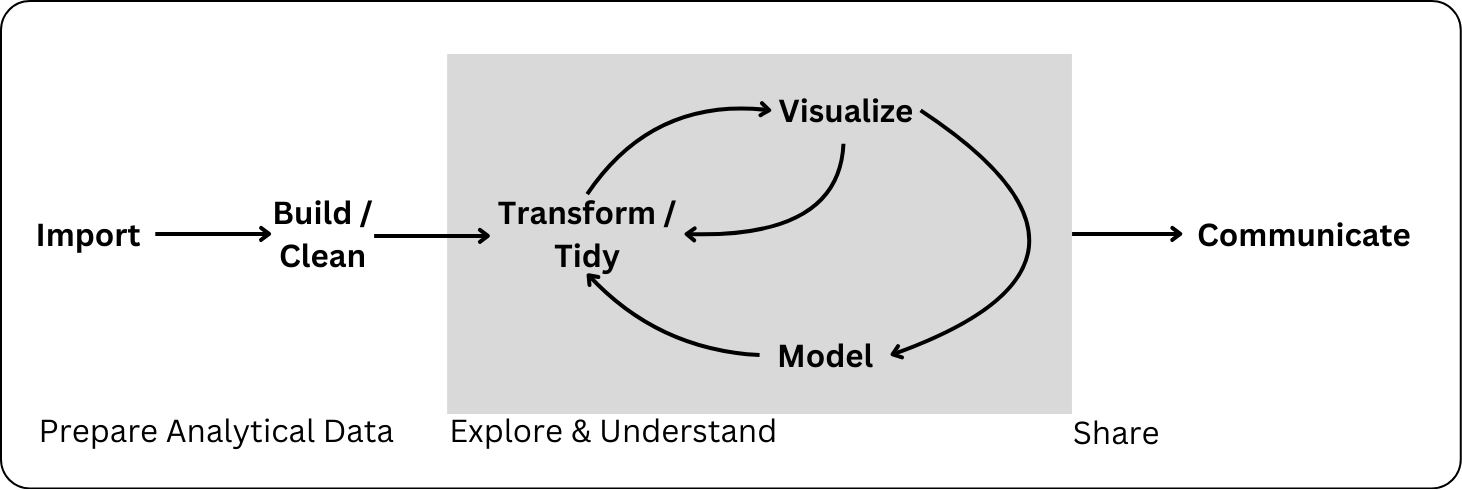
Data Science Workflow

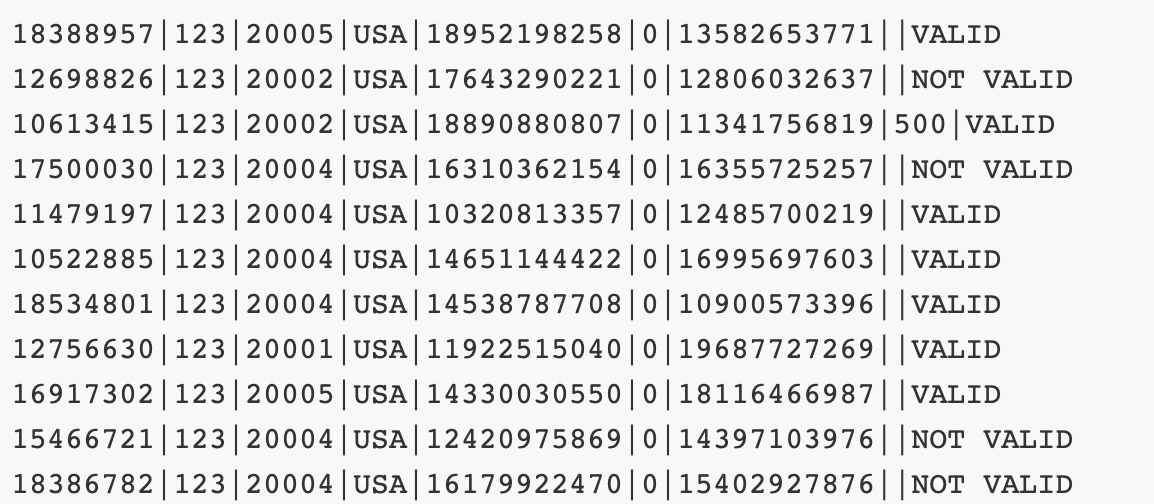
Common Types of Data Files

Look at the file extension for the type of data file.

.csv : “comma-separated values”

  • most typical type used in R
Name, Age
Bob, 49
Joe, 40

.xls, .xlsx: Microsoft Excel spreadsheet

  • use readxl package . . .

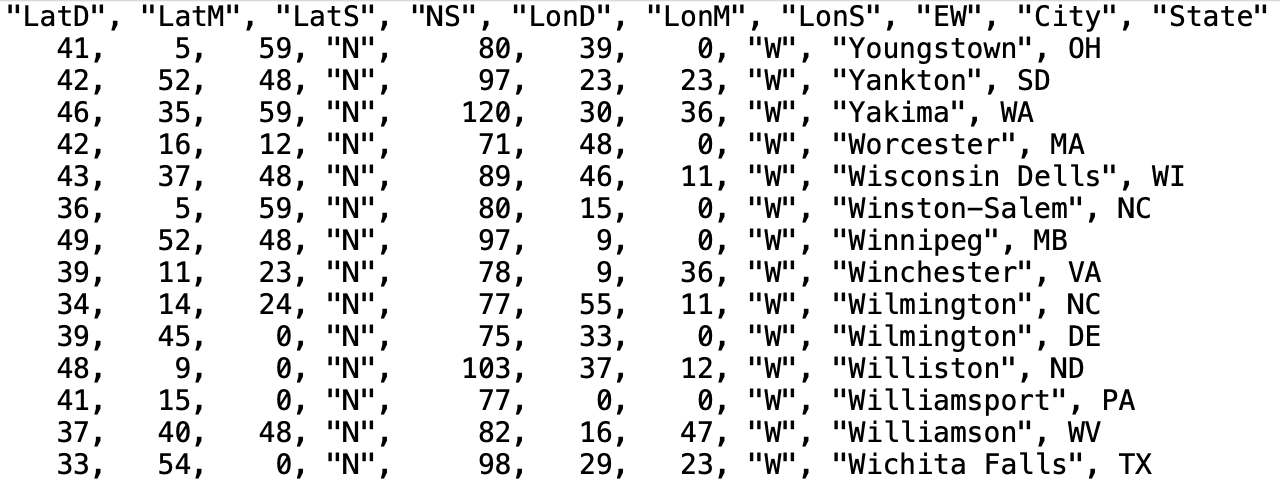
.txt: plain text

  • Could have any sort of delimiter…
  • Need to let R know what to look for!

Common Types of Data Files

Loading External Data

The tidyverse has nice functions for reading in data in the readr and readxl packages:

  • read_csv() is for comma-separated data.

  • read_tsv() is for tab-separated data.

  • read_table() is for white-space-separated data.

  • read_delim() is any data with “columns” (you specify the separator). The above are special cases.

  • read_excel() is specifically for dealing with Excel files.

Remember to load the readr and readxl packages first!

Reminder: Notebooks and File Paths

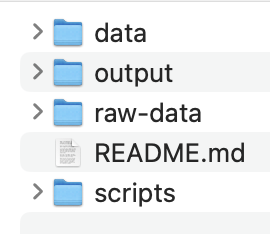
  • You have to tell R where to “find” the data you want to read in using a file path.

  • Quarto automatically sets the working directory to the be directory where the Quarto document is for any code within the Quarto document

  • This overrides the directory set by an .Rproj

  • Pay attention to this when setting relative filepaths

    • To “backout” of one directory, use "../"
    • e.g.: "../data/dat.csv"

Data Import Options 🧩

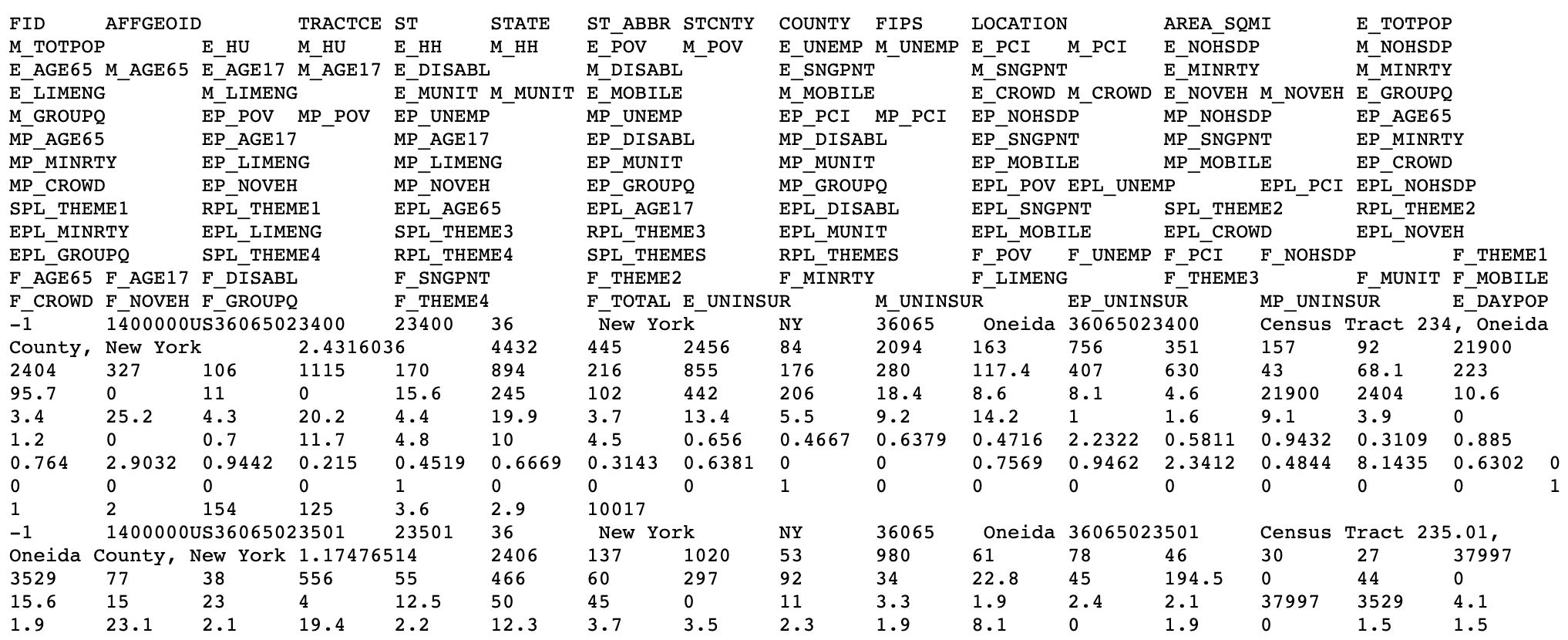
  • Depending on how messy your original data file is, you may need to add no extra arguments to these import functions
  • But there are plenty of options!
    • how to handle column names
    • what data types columns should be
    • what rows to import …
    • etc.
  • See readr and readxl cheatsheets

What Makes a Good Visualization?

Graphics

Graphics consist of:

  • Structure: boxplot, scatterplot, etc.

  • Aesthetics: features such as color, shape, and size that map other variables to structural features.

Both the structure and aesthetics should help viewers interpret the information.

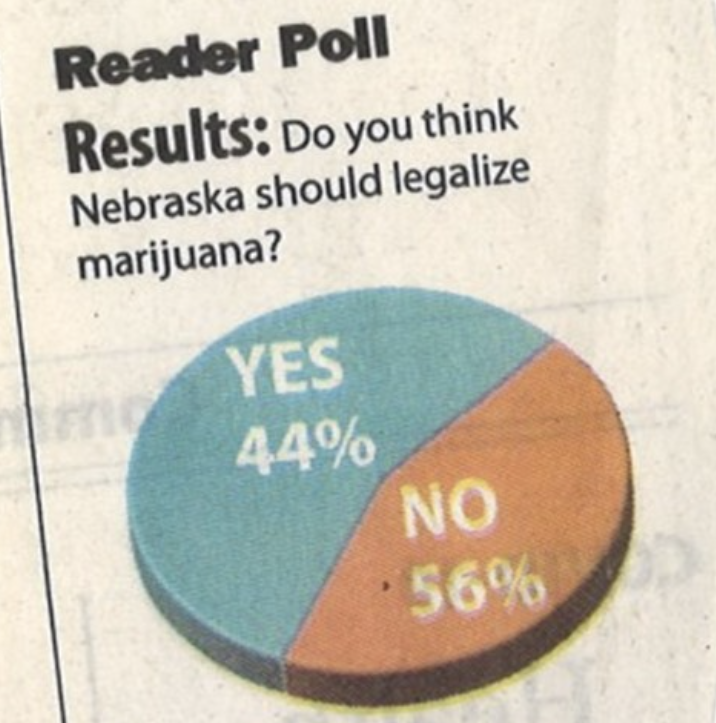
What makes bad graphics bad?

  • BAD DATA.
  • Too much “chartjunk” – superfluous details (Tufte).
  • Design choices that are difficult for the human brain to process, including:
  • Colors
  • Orientation
  • Organization

What makes good graphics good?

Edward R. Tufte is a well-known critic of visualizations, and his definition of graphical excellence consists of:

  • communicating complex ideas with clarity, precision, and efficiency.
  • maximizing the data-to-ink ratio.
  • telling the truth about the data.

Color Guidelines

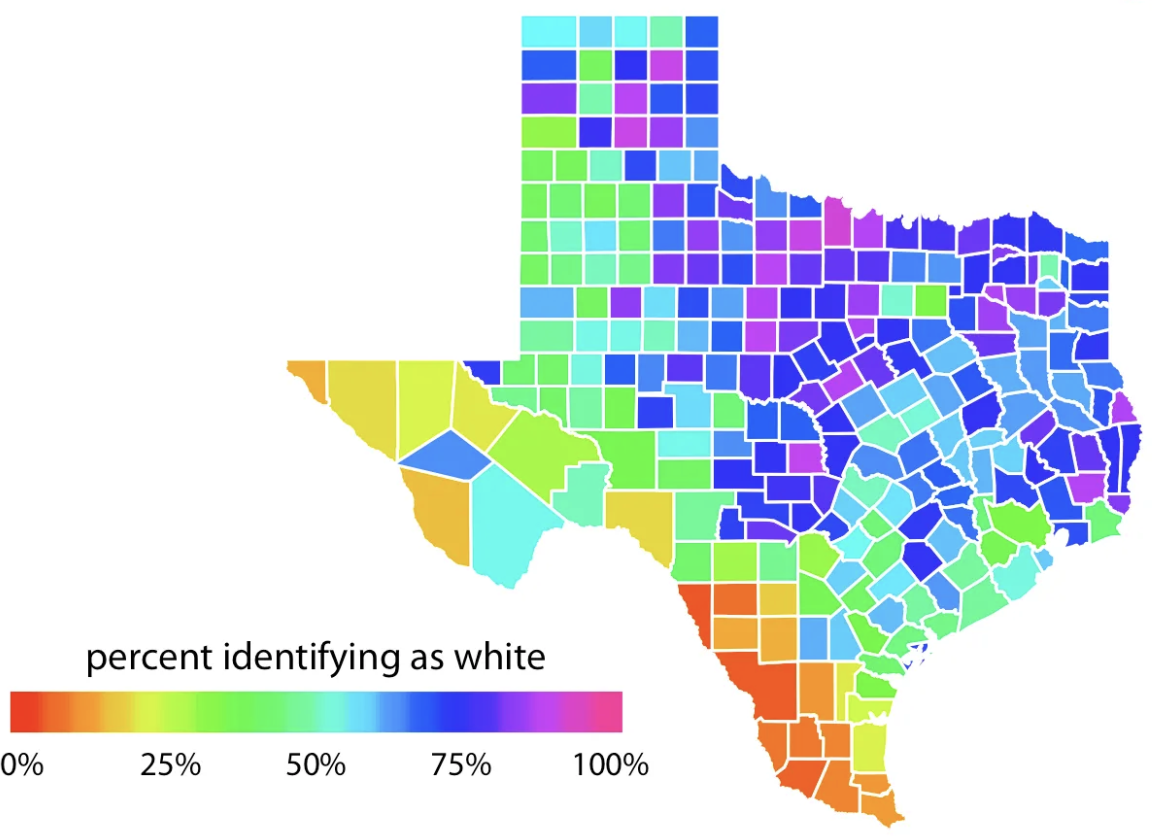
  • Do not use rainbow color gradients!

  • Be conscious of what certain colors “mean”.

    • Good idea to use red for “good” and green for “bad”???
Color Guidelines

  • For categorical data, try not to use more than 7 colors.
  • For quantitative data, use mappings from data to color that are numerically and perceptually uniform.

Color Guidelines

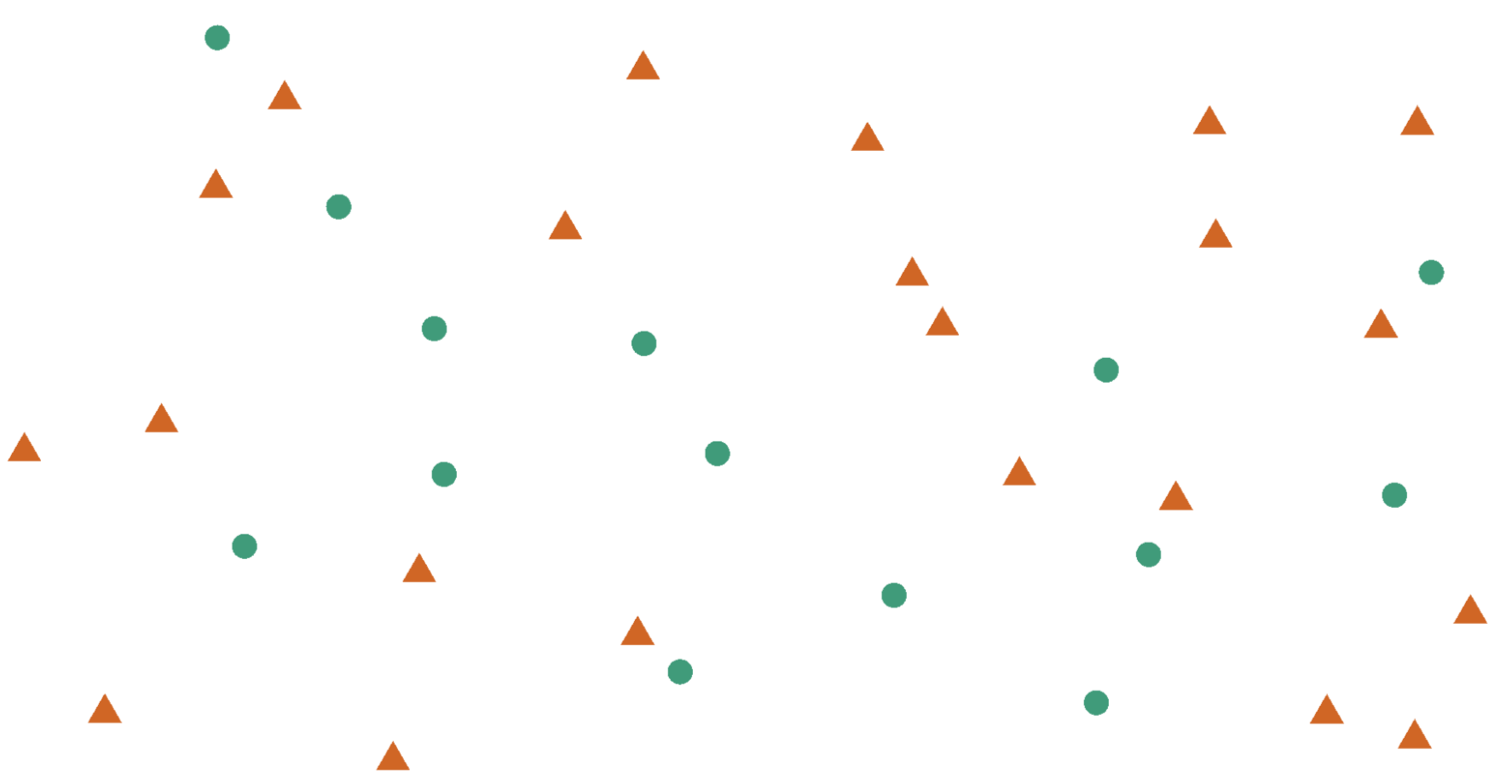
To colorblind-proof a graphic…

  • use double encoding - when you use color, also use another aesthetic (line type, shape, etc.).
Color Guidelines

To colorblind-proof a graphic…

  • with a unidirectional scale (e.g., all + values), use a monochromatic color gradient.

  • with a bidirectional scale (e.g., + and - values), use a purple-white-orange color gradient. Transition through white!

Color Guidelines

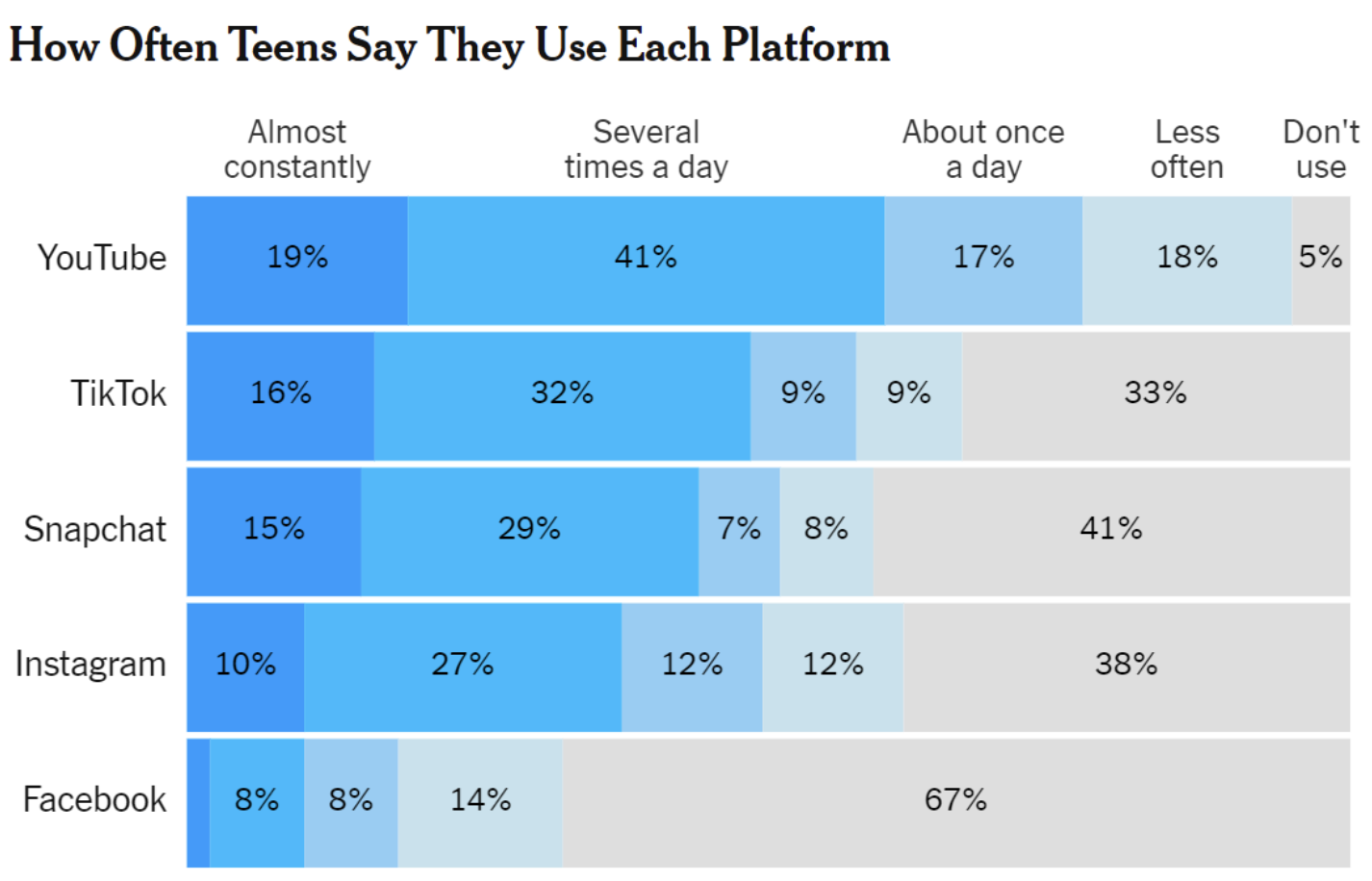
To colorblind-proof a graphic…

  • print your chart out in black and white – if you can still read it, it will be safe for all users.
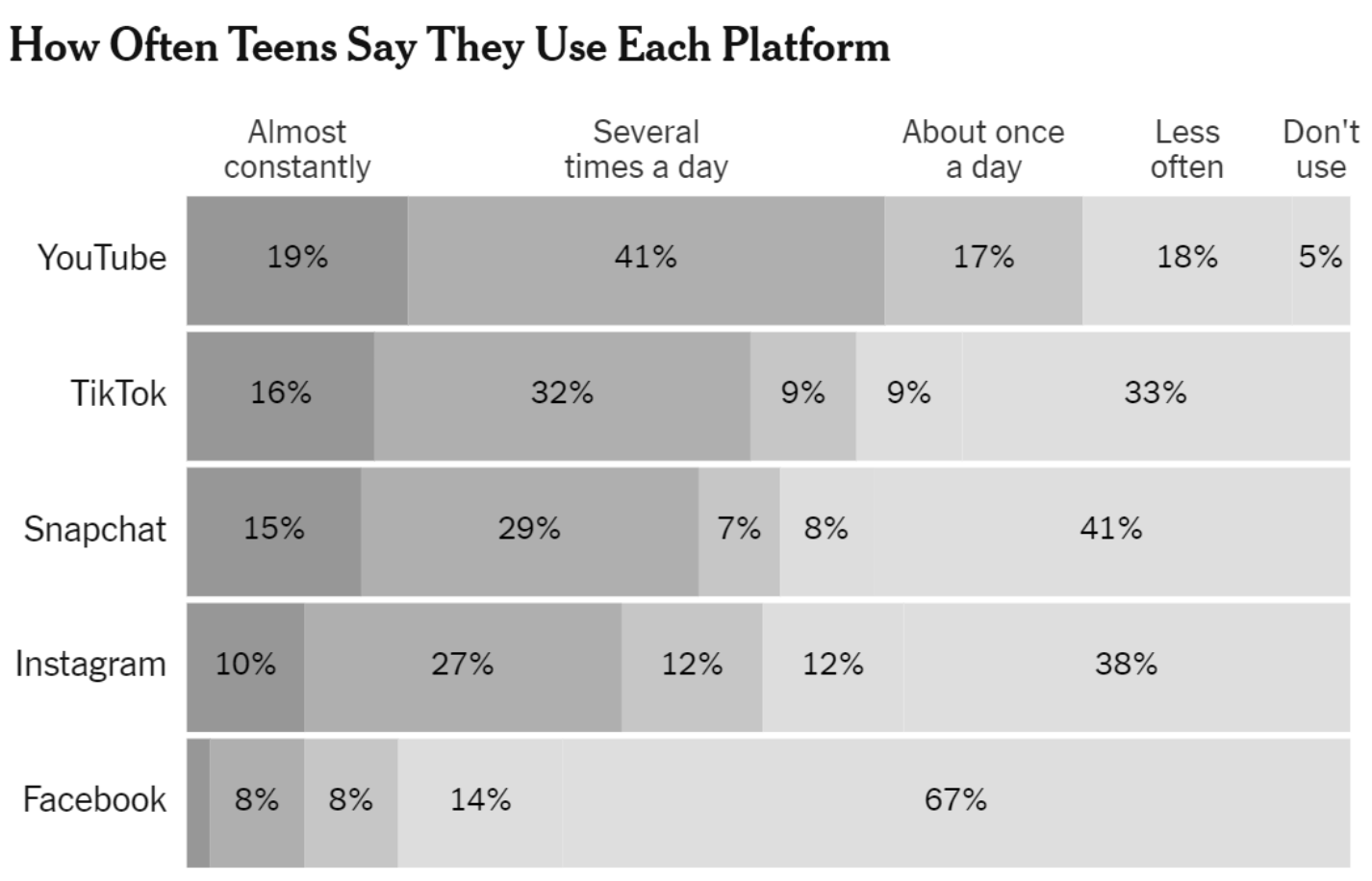
Color in ggplot2

There are several packages with color scheme options:

  • Rcolorbrewer
  • ggsci
  • viridis
  • wesanderson

These packages have color palettes that are aesthetically pleasing and, in many cases, colorblind friendly.

You can also take a look at other ways to find nice color palettes. ColorBrewer is my personal favorite.

Let’s Practice

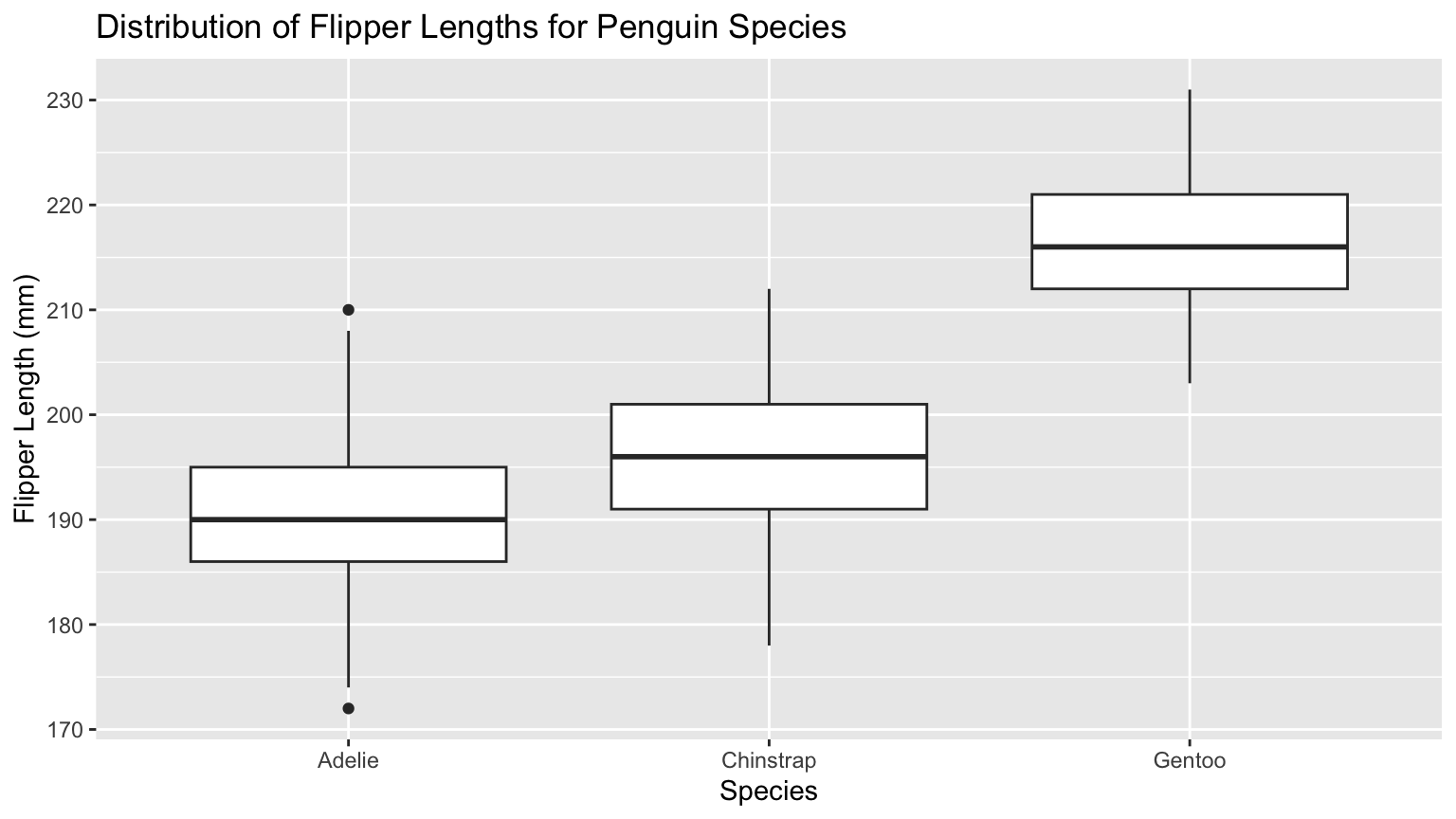
Penguins - Flipper Length by Species
Code
ggplot(data = penguins,
       mapping = aes(y = flipper_length_mm, 
                              x = species)) +
    geom_boxplot() + 
    labs(title = "Distribution of Flipper Lengths for Penguin Species", 
         x = "Species" , 
         y = "Flipper Length (mm)")

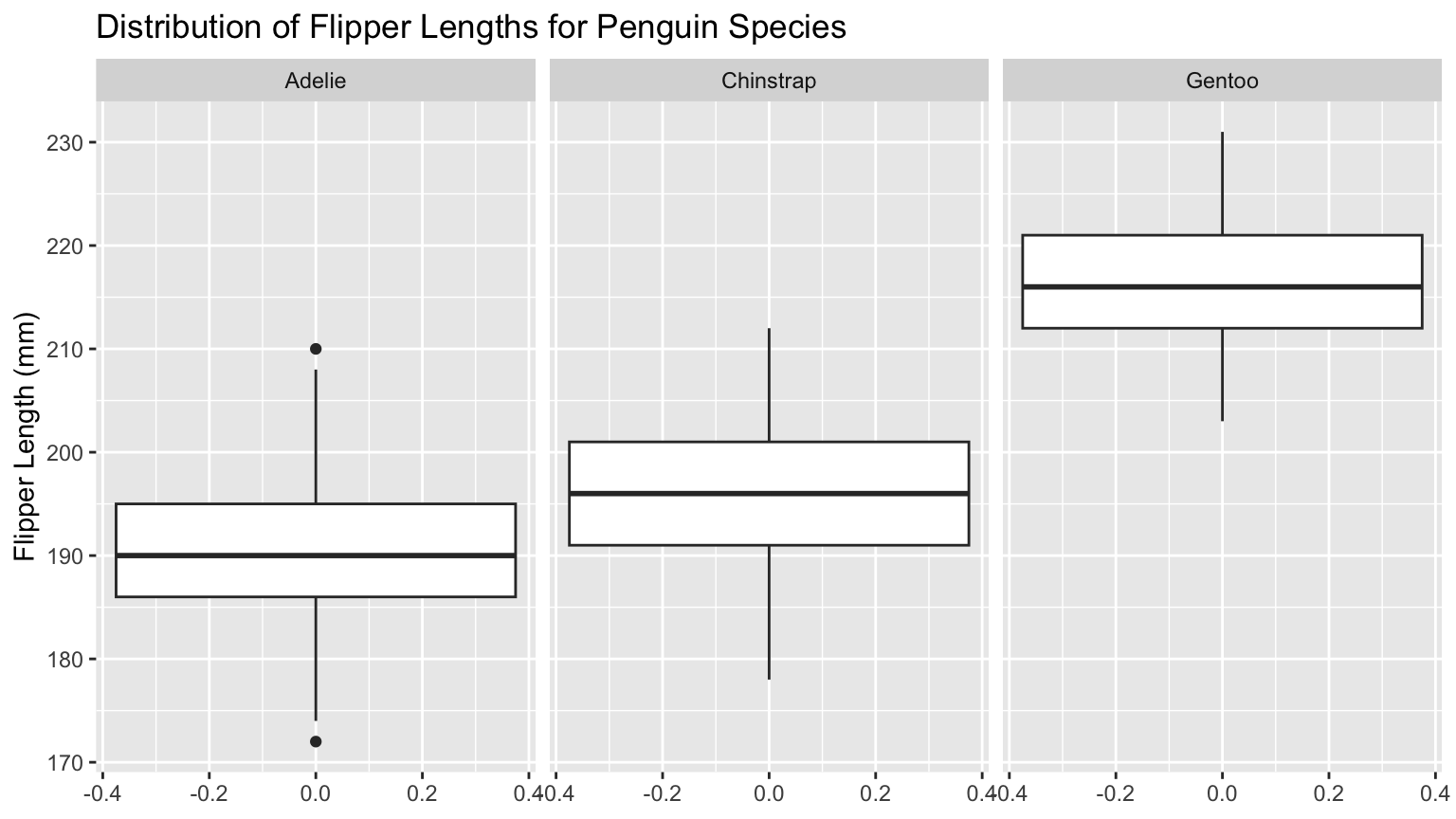
Code
ggplot(data = penguins,
       mapping = aes(y = flipper_length_mm)) +
    geom_boxplot() + 
    facet_grid(cols = vars(species)) +
    labs(title = "Distribution of Flipper Lengths for Penguin Species", 
         y = "Flipper Length (mm)")

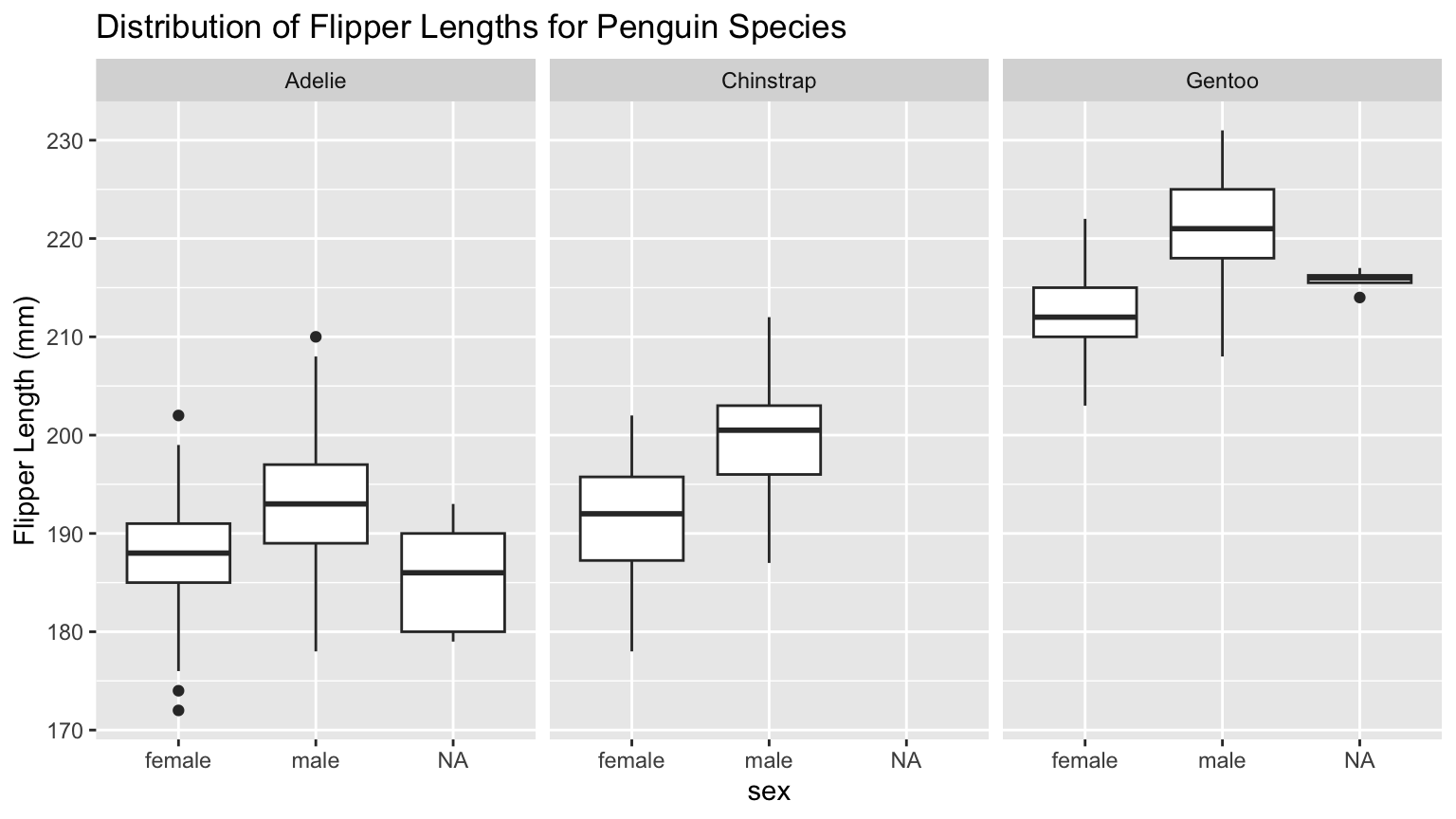
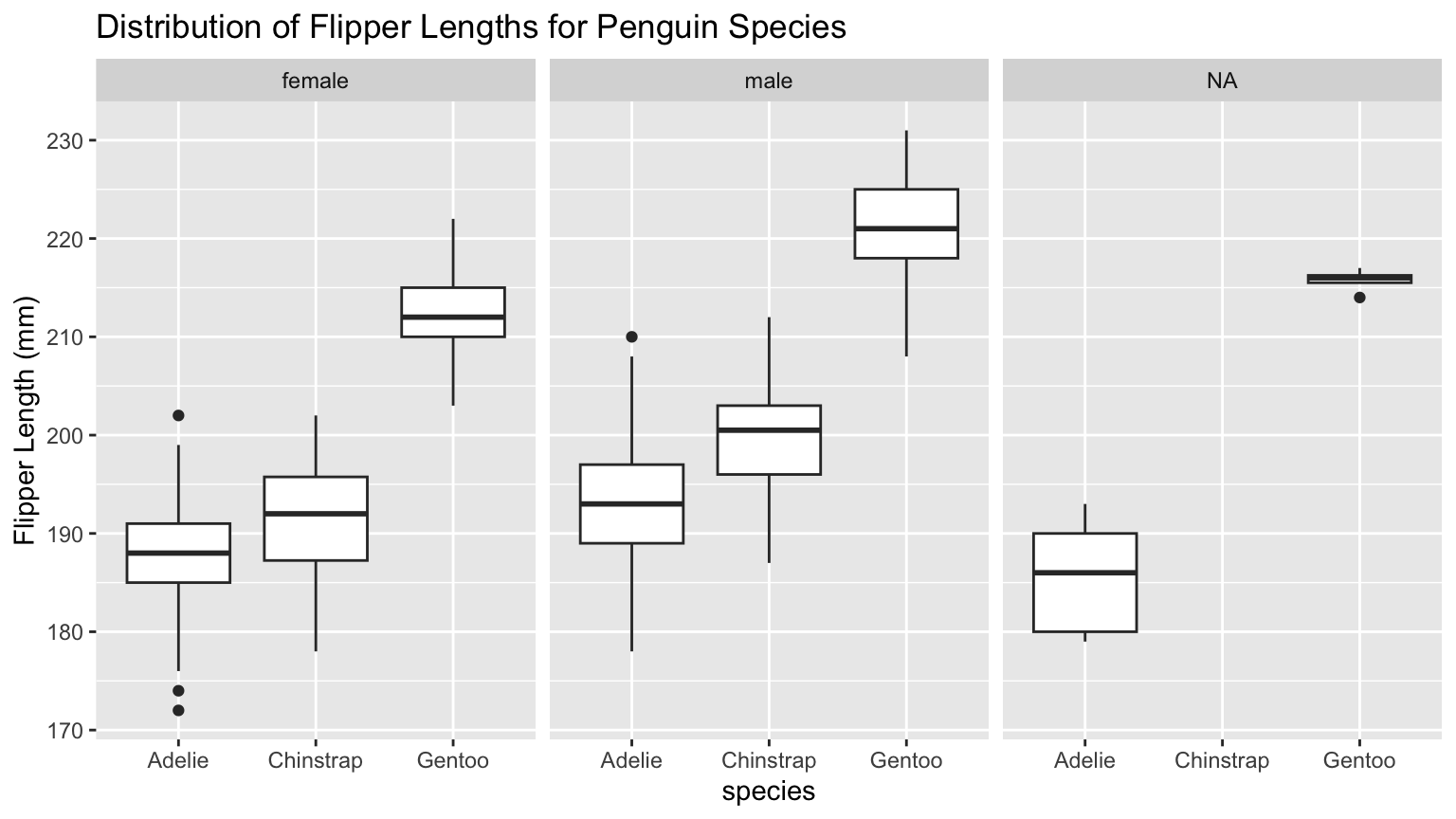
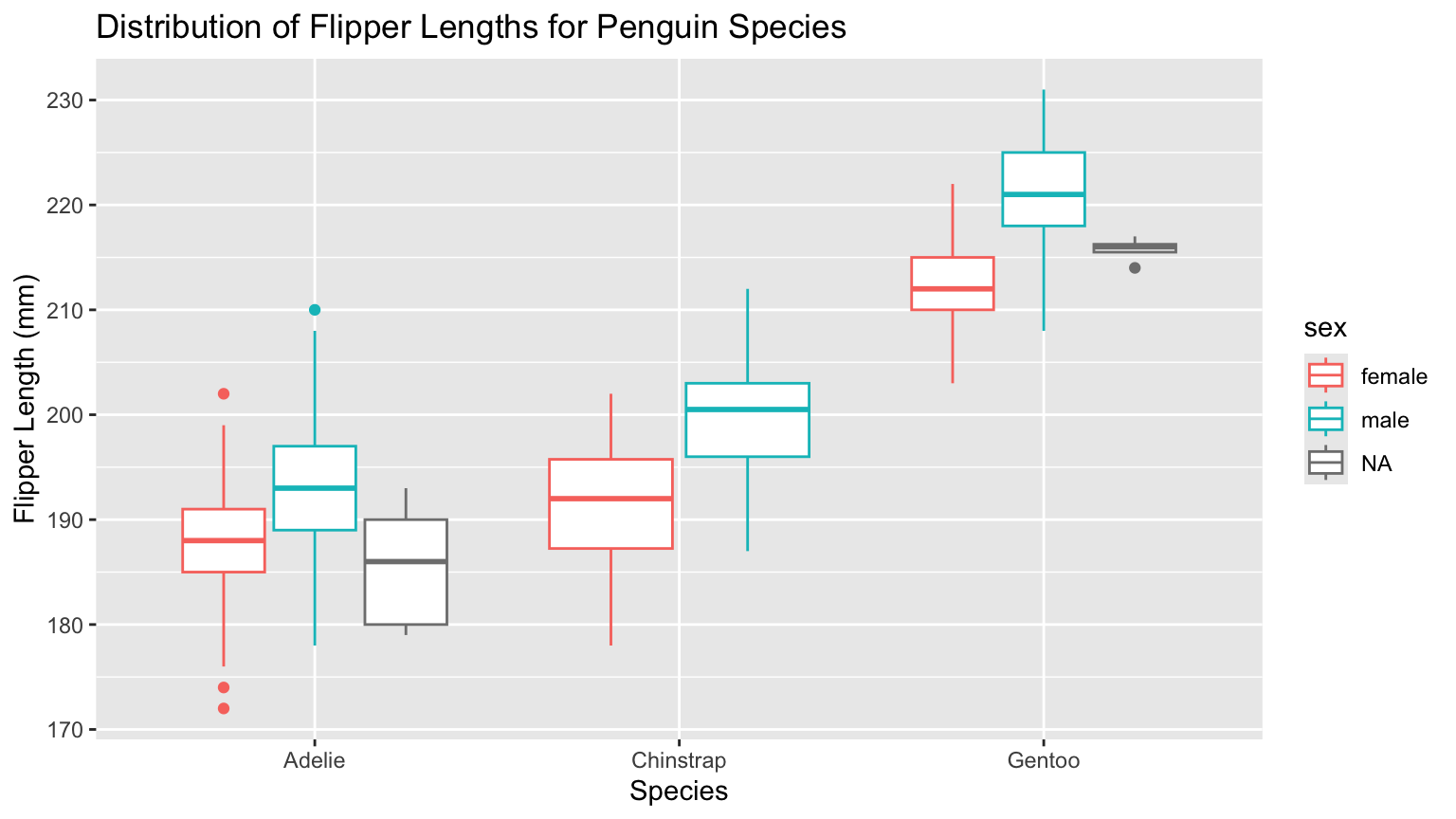
Penguins - Flipper Length by Species & Sex
Code
ggplot(data = penguins) +
    geom_boxplot(mapping = aes(y = flipper_length_mm, 
                             x = species,
                             color = sex)) + 
    labs(title = "Distribution of Flipper Lengths for Penguin Species", 
         x = "Species" , 
         y = "Flipper Length (mm)")

Code
ggplot(data = penguins) +
    geom_boxplot(mapping = aes(y = flipper_length_mm,
                               x = sex)) + 
    facet_grid(cols = vars(species)) +
    labs(title = "Distribution of Flipper Lengths for Penguin Species", 
         y = "Flipper Length (mm)")

Code
ggplot(data = penguins) +
    geom_boxplot(mapping = aes(y = flipper_length_mm,
                               x = species)) + 
    facet_grid(cols = vars(sex)) +
    labs(title = "Distribution of Flipper Lengths for Penguin Species", 
         y = "Flipper Length (mm)")

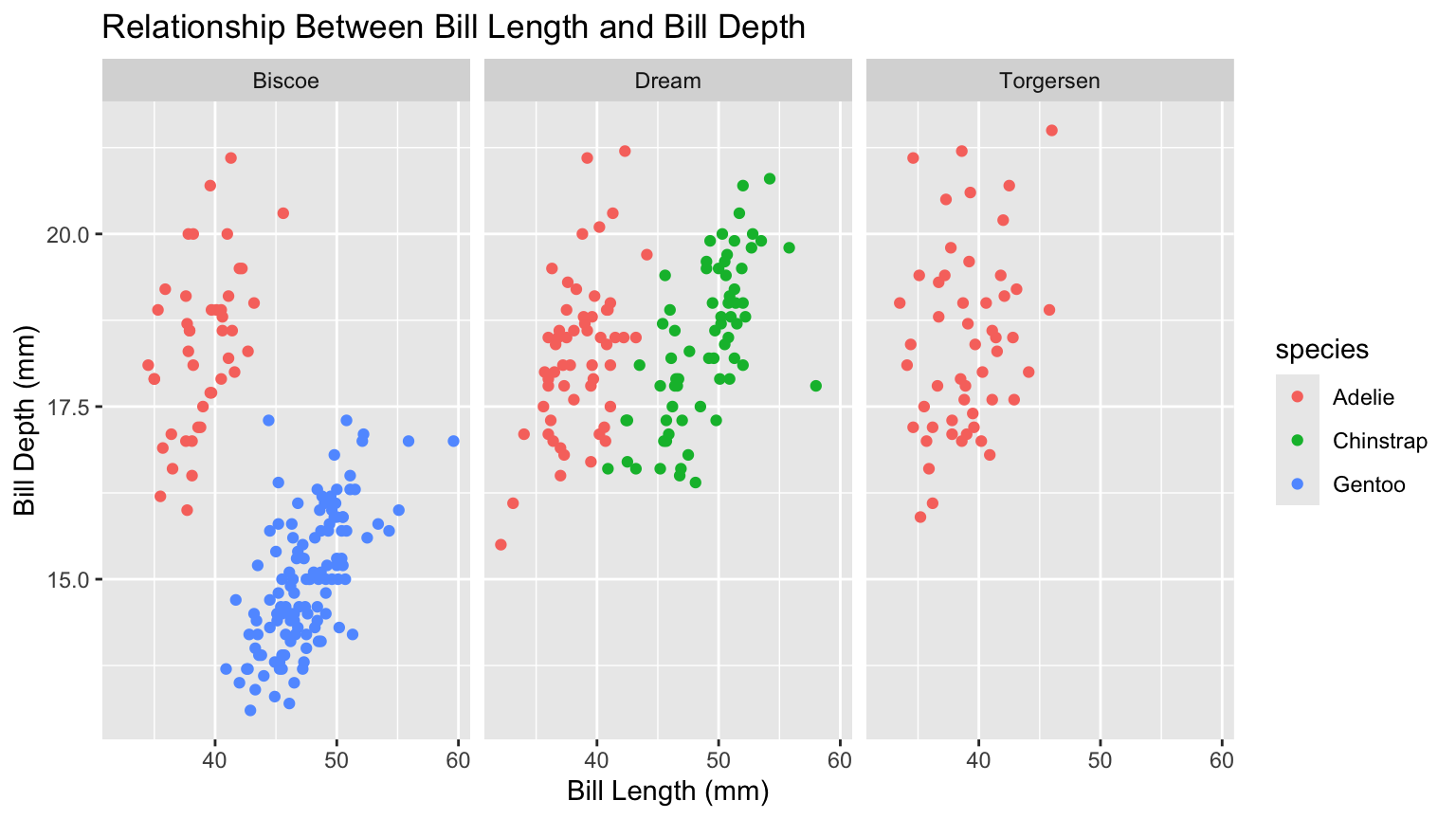
PA 2 Example - Two Categorical Variables
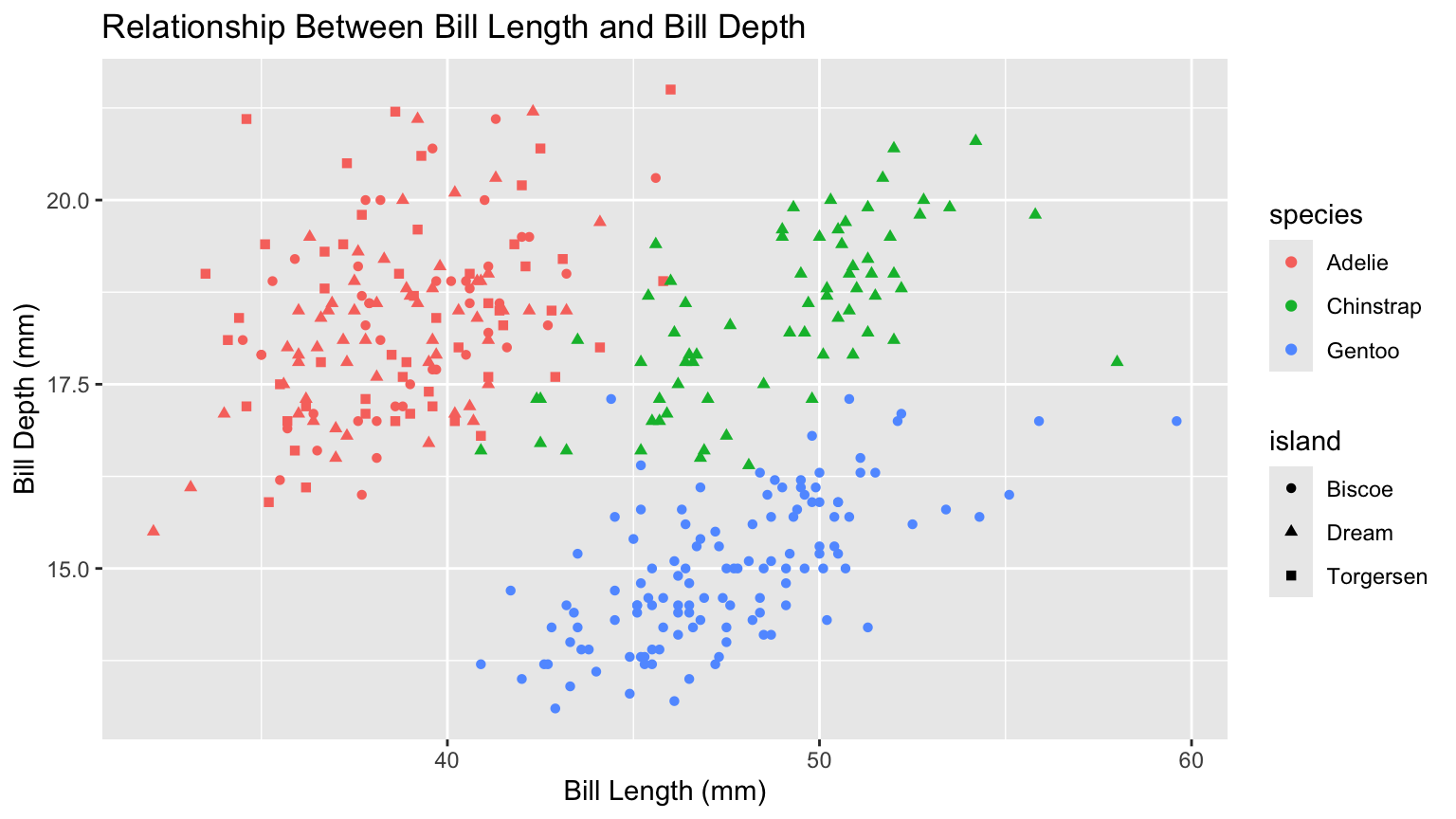
Code
ggplot(data = penguins) +
    geom_point(mapping = aes(x = bill_length_mm, 
                             y = bill_depth_mm, 
                             color = species, 
                             shape = island )) + 
    labs(title = "Relationship Between Bill Length and Bill Depth", 
         x = "Bill Length (mm)" , 
         y = "Bill Depth (mm)")

Code
ggplot(data = penguins,
       mapping = aes(x = bill_length_mm, 
                     y = bill_depth_mm, 
                     color = species)) +
  geom_point() + 
  facet_wrap(~island) +
  labs(x = "Bill Length (mm)",
       y = "Bill Depth (mm)", 
       title = "Relationship Between Bill Length and Bill Depth")

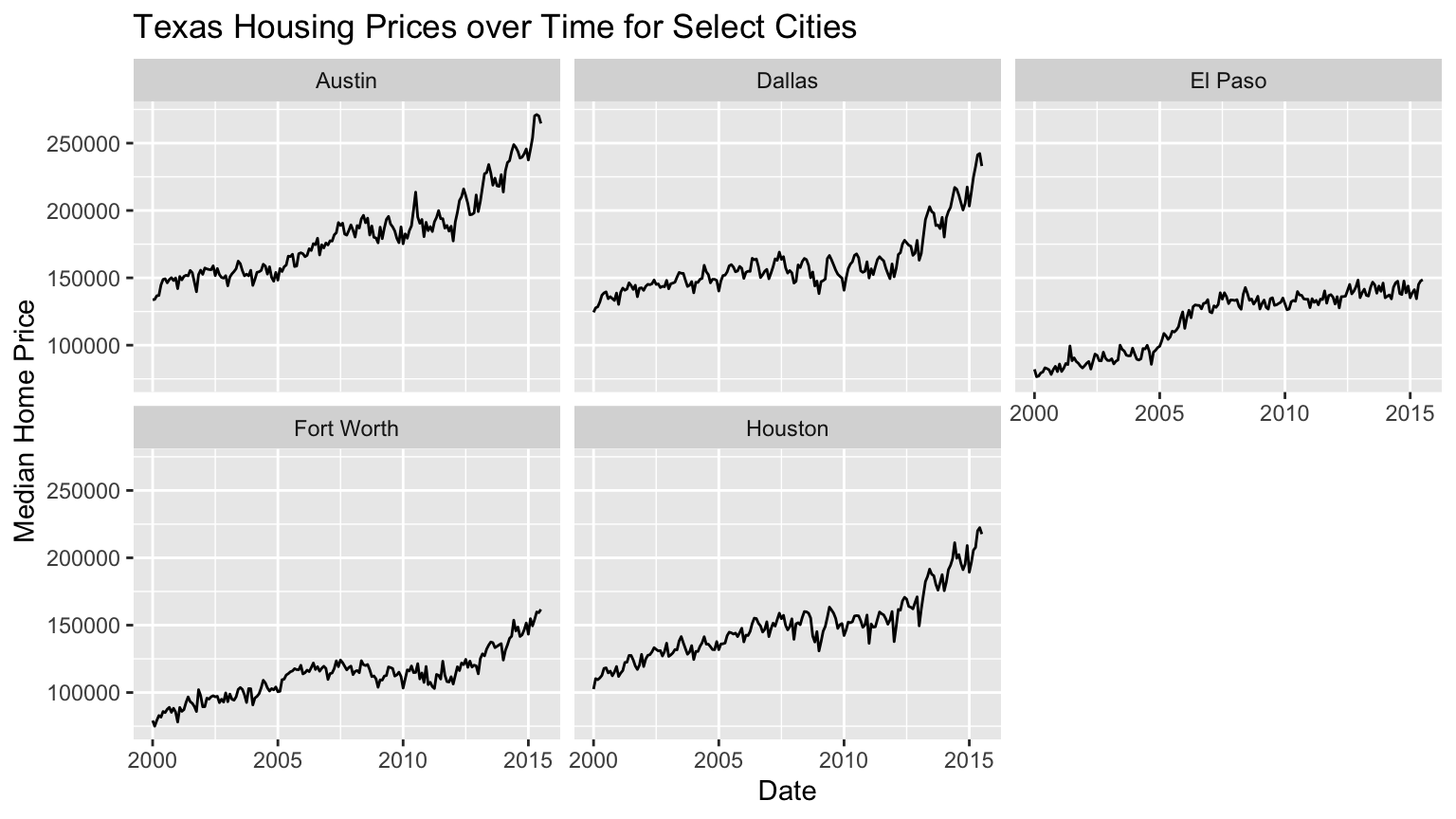
Lecture Example - Texas Housing Data
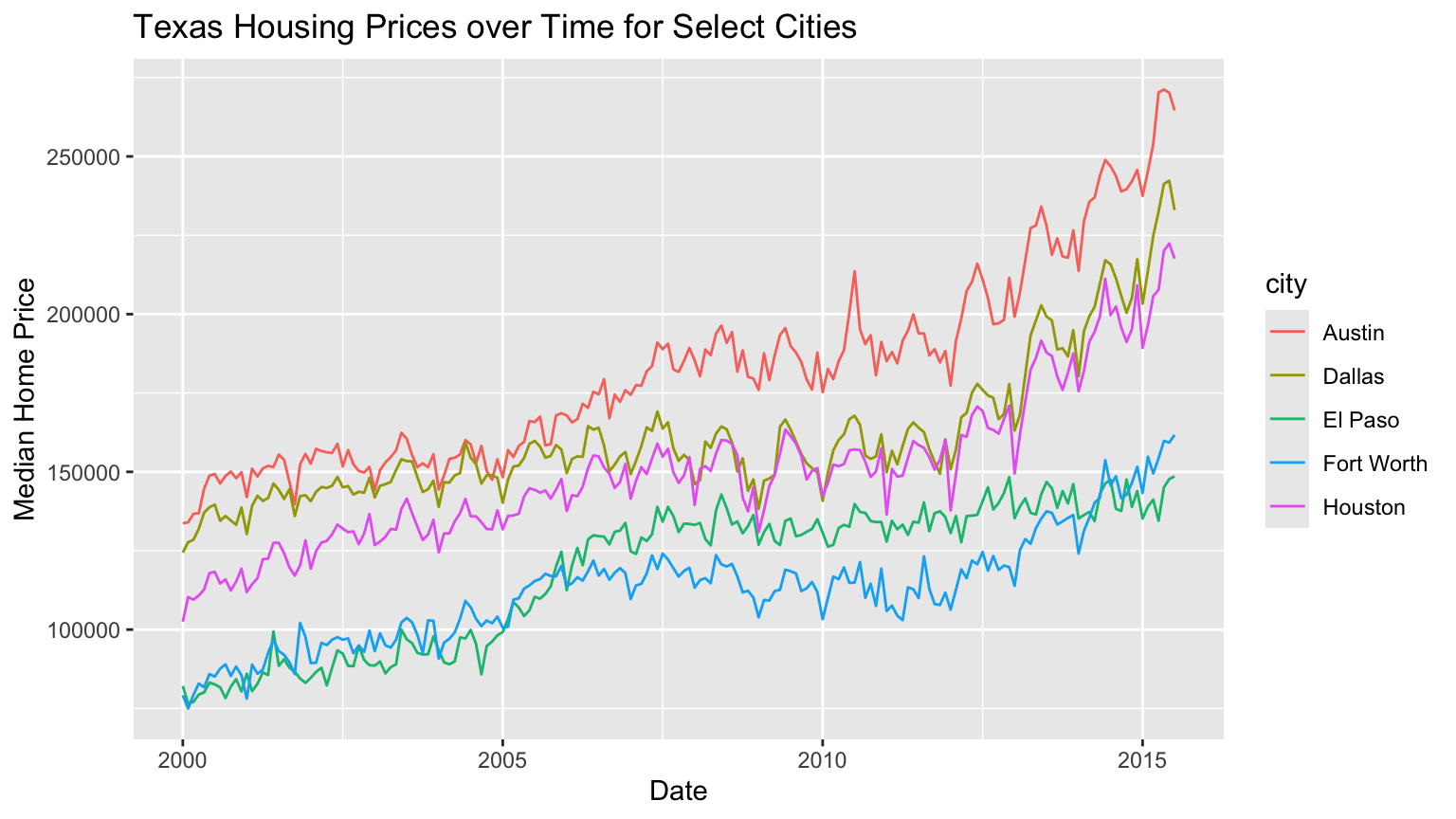
Code
ggplot(data = sm_tx,
       aes(x = date, y = median, color = city)) + 
  geom_line() + 
  labs(x = "Date",
       y = "Median Home Price",
       title = "Texas Housing Prices over Time for Select Cities")

Code
ggplot(data = sm_tx,
       aes(x = date, y = median)) + 
  geom_line() + 
  facet_wrap(vars(city)) +
  labs(x = "Date",
       y = "Median Home Price",
       title = "Texas Housing Prices over Time for Select Cities")

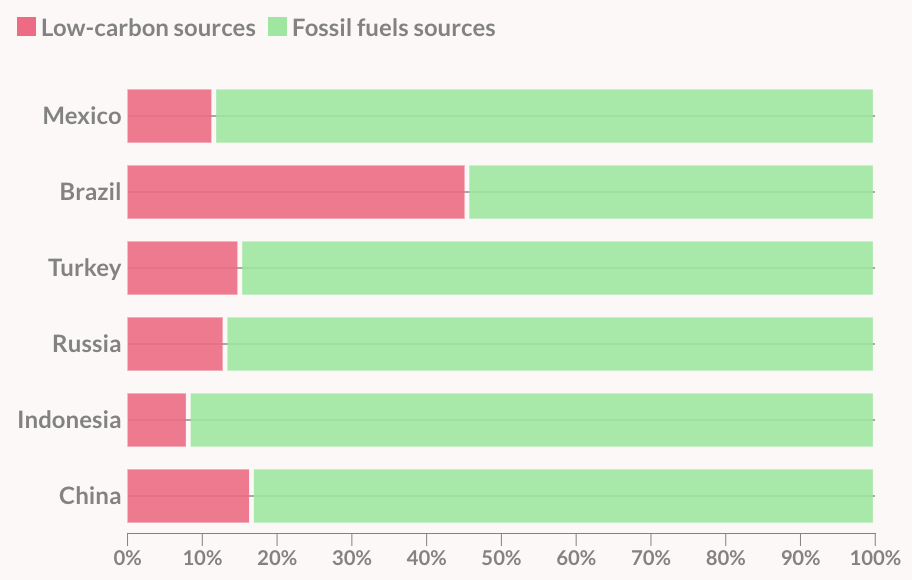
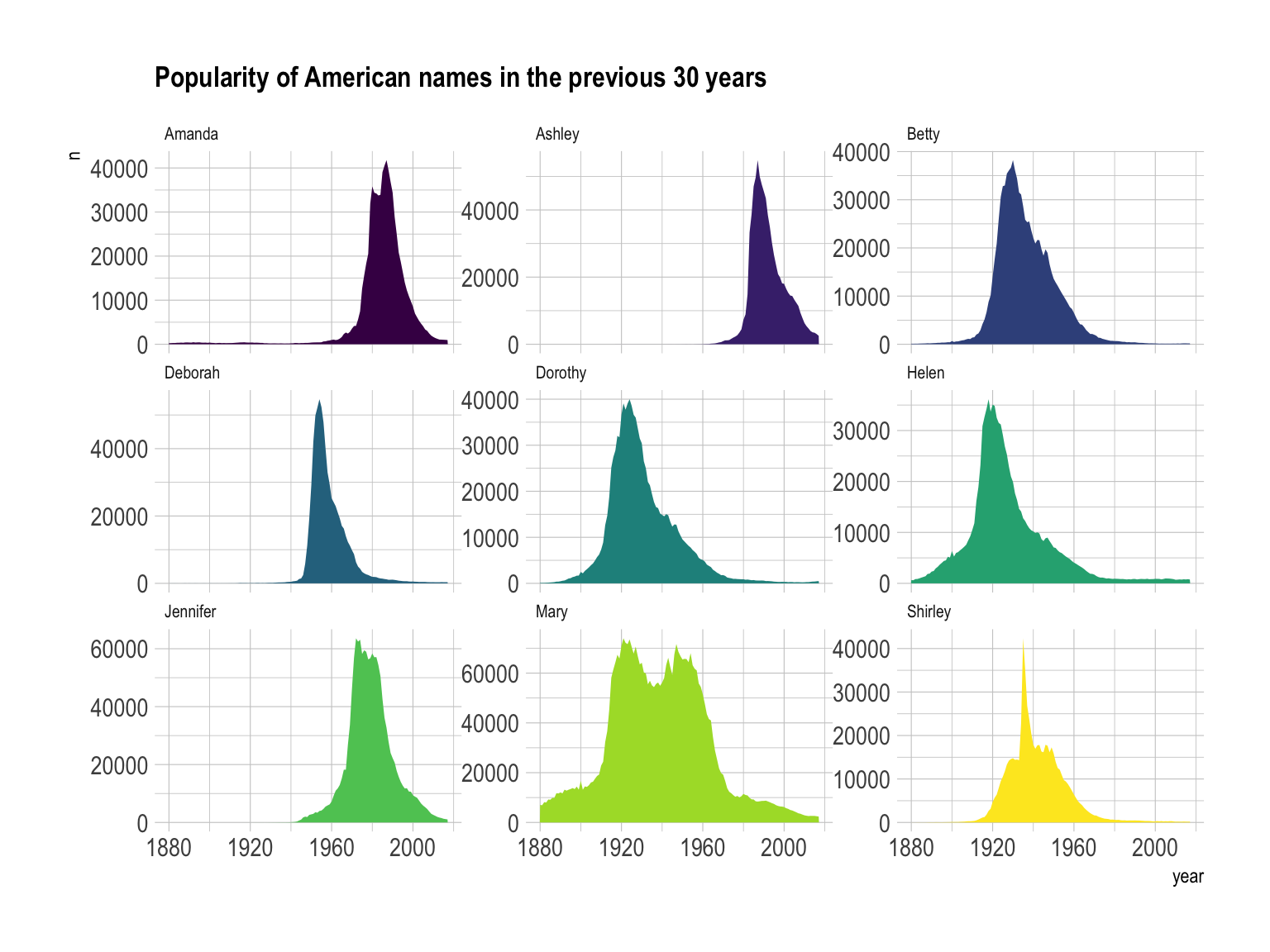
What Do You Think About This Graphic?

Example 1

https://www.data-to-viz.com/graph/area.html

Example 2
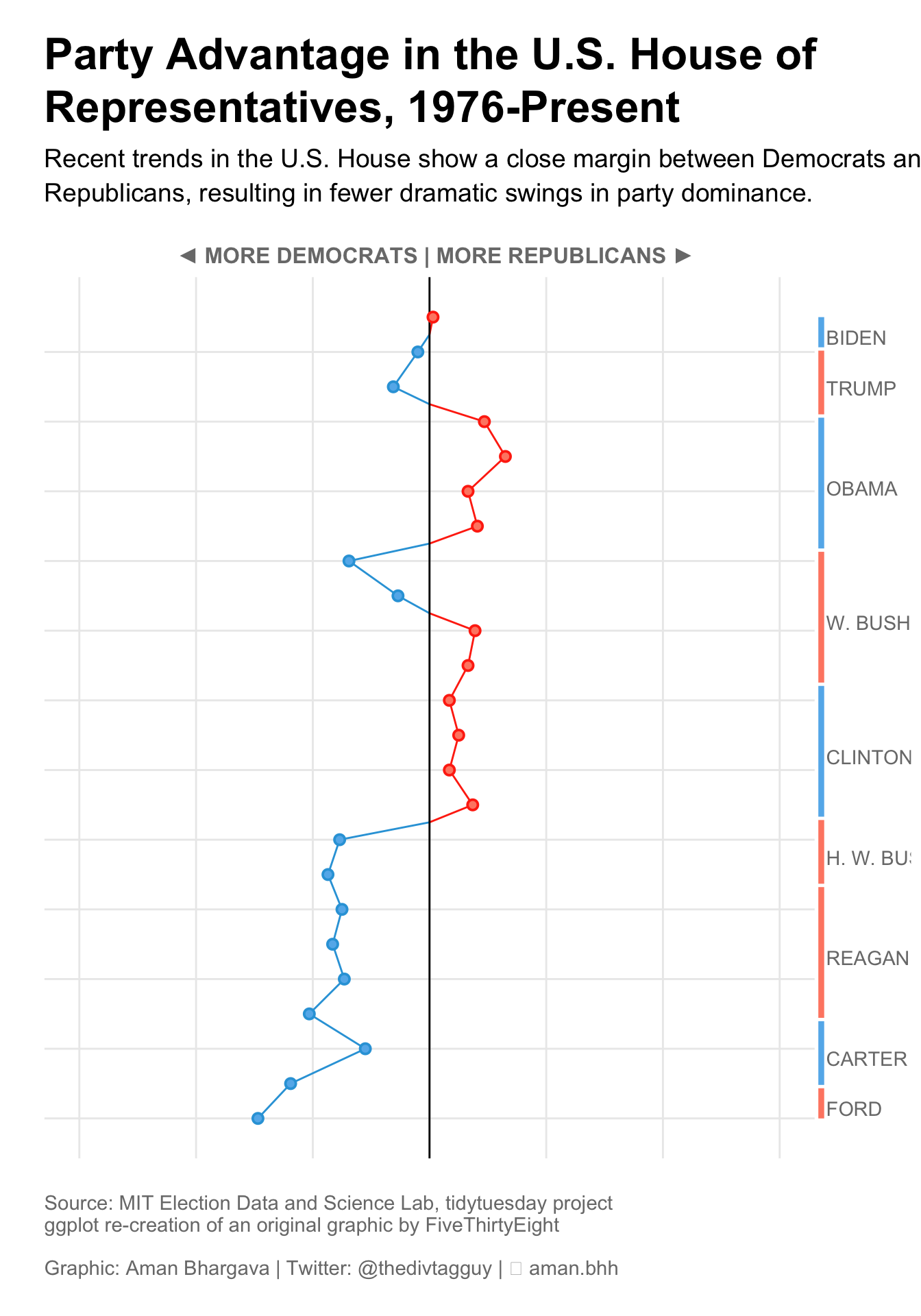
https://r-graph-gallery.com/web-vertical-line-chart-with-ggplot2.html

Example 3
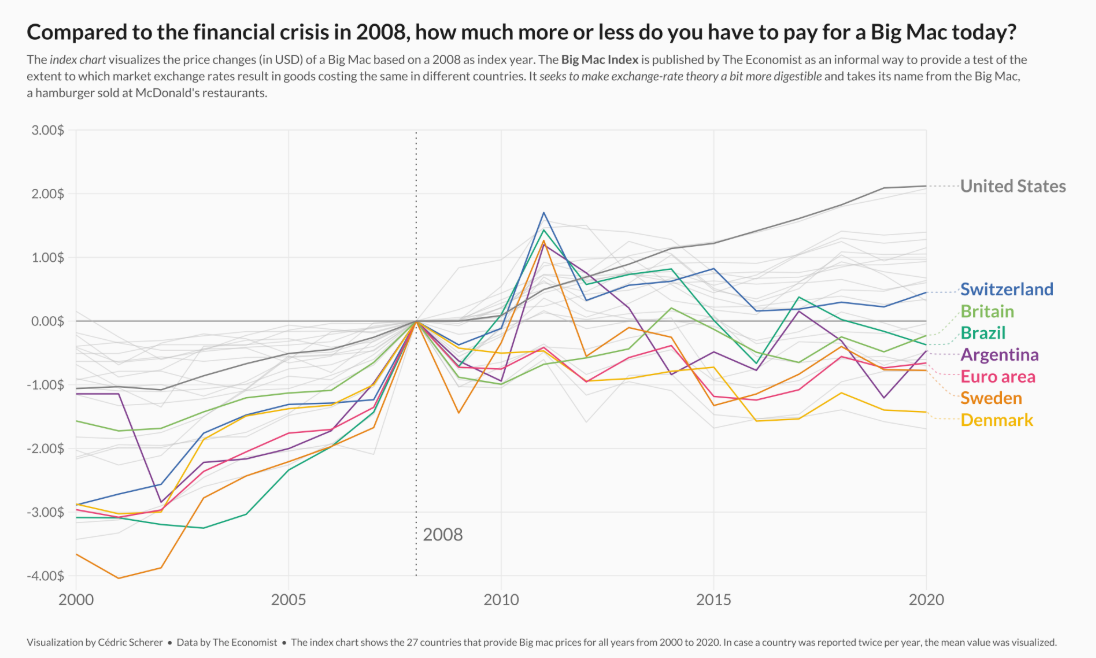
https://r-graph-gallery.com/web-line-chart-with-labels-at-end-of-line.html

Lab 2: Exploring Rodents with ggplot2

Lab Formatting

  • Starting with Lab 2, your labs will be graded more strictly on appearance and code format.

  • Review the lab formatting guidelines on Canvas before you submit your lab!

  • Big points:

    • use relative file paths
    • make sure all markdown renders as expected
    • NEVER PRINT OUT FULL DATASETS
    • no long code lines - use line breaks liberally
    • “clean up” the lab before submitting

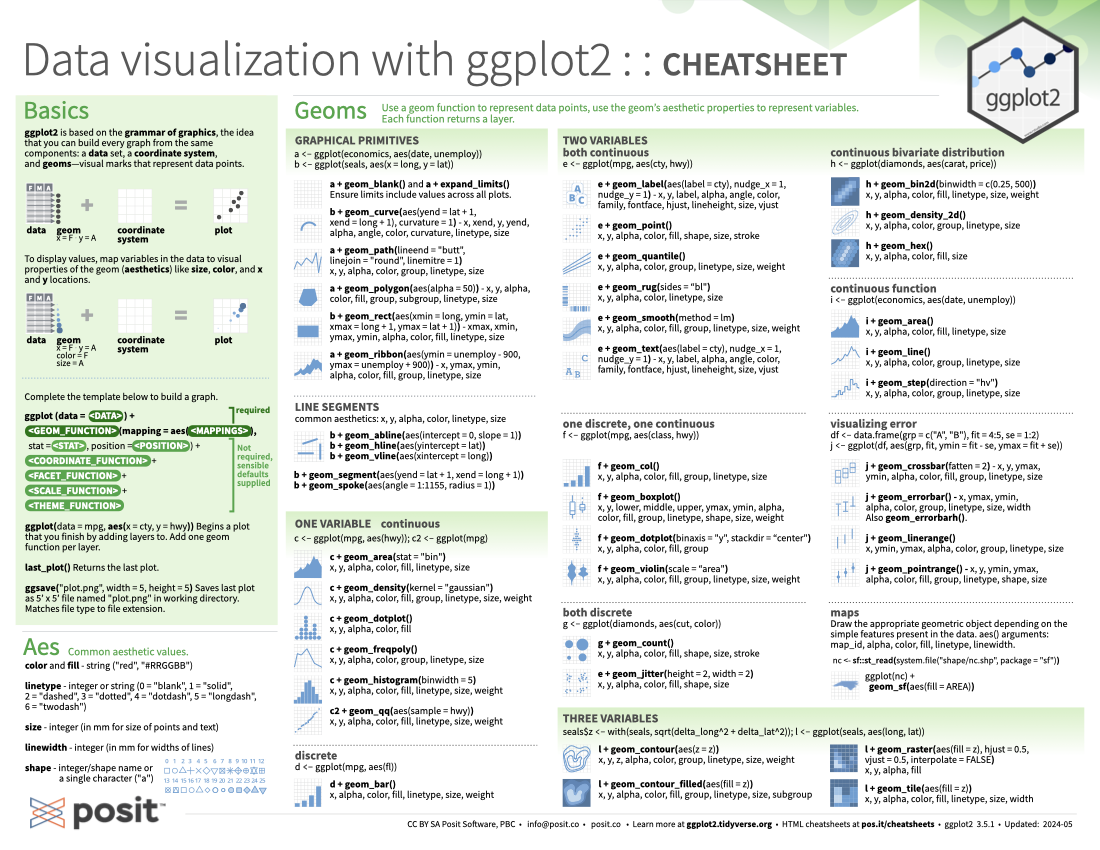
ggplot2 cheatsheet

ggplot2 cheatsheet

To do…

  • Lab 2: Exploring Rodents with ggplot2
    • due Sunday 4/12 at 11:59pm
  • Required Reading
  • Review all material from this week for the group quiz on Monday!
    • Make sure that you can answer all of the questions in this week’s notes!
    • Group quiz at the beginning of class