Graphics with ggplot2

Monday, April 6

Today we will…

  • Group Quiz (15 min)
  • Style Note of the Day
  • New Material
    • Welcome to the Tidyverse
    • Graphics with ggplot2
    • Game Planning
  • PA 2: Using Data Visualization to Find the Penguins

Style Note of the Day - Function Calls

Tip

Name arguments in function calls

Only include necessary arguments! (If you are using any default values, no need to repeat them in your function call.)

Good

mean(1:10, na.rm = TRUE)
seq(from = 1, to = 100, by = 5)

Bad

mean(1:10, , TRUE)
mean(1:10, trim = 0, na.rm = TRUE)

seq(1, 100, 5)

Welcome to the Tidyverse

Tidywho?

The tidyverse is an opinionated collection of R packages designed for data science. All packages share an underlying design philosophy, grammar, and data structures.1
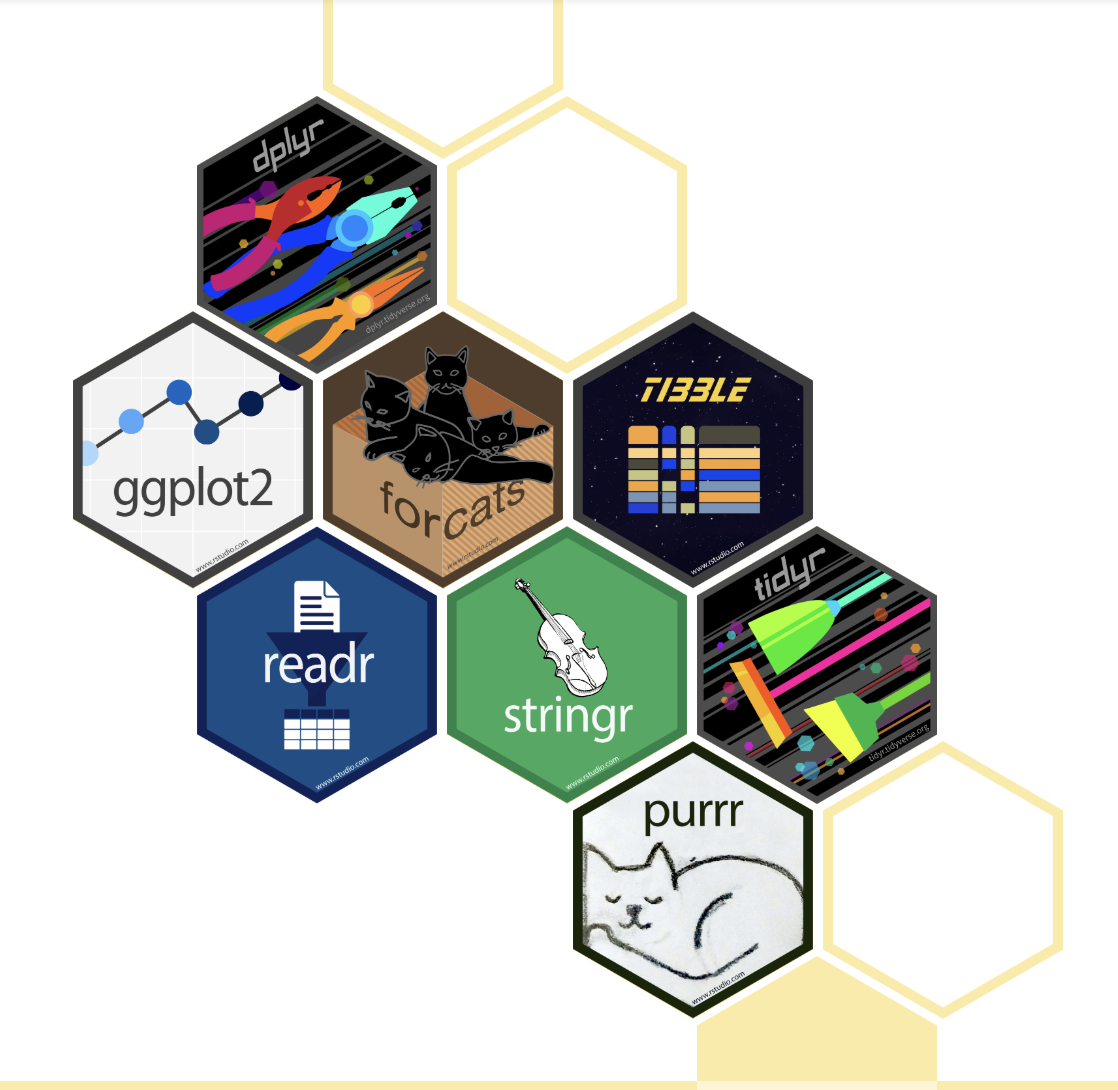
  • Most of the functionality you will need for an entire data analysis workflow with cohesive grammar

Core Packages

The tidyverse includes functions to:

Read in data readr
Visualize data ggplot2
Manipulate rectangular data tidyr, dplyr, tibble
Handle special variable types stringr, forcats , lubridate
Support functional programming purrr

Tidyverse and STAT 331

  • This version of the course will primarily use tidyverse packages and grammar

  • Reasoning:

    • the tidyverse is as reputable and ubiquitous as base R at this point (in my opinion)
    • the tidyverse is specifically designed to help programmers produce easy-to-read and reproducible analyses and to reduce errors
    • there is excellent documentation!
    • I like it!

Using the tidyverse package

  • Installing/loading the tidyverse package installs/loads all of the “tidyverse” packages

  • Avoid redundantly installing or loading packages!

Do this:

library(tidyverse)

or

library(readr)

Not this:

library(tidyverse)
library(readr)

Graphics with ggplot2

Why Do We Create Graphics?

Grammar of Graphics

The Grammar of Graphics (GoG) is a principled way of specifying exactly how to create a particular graph from a given data set. It helps us to systematically design new graphs.


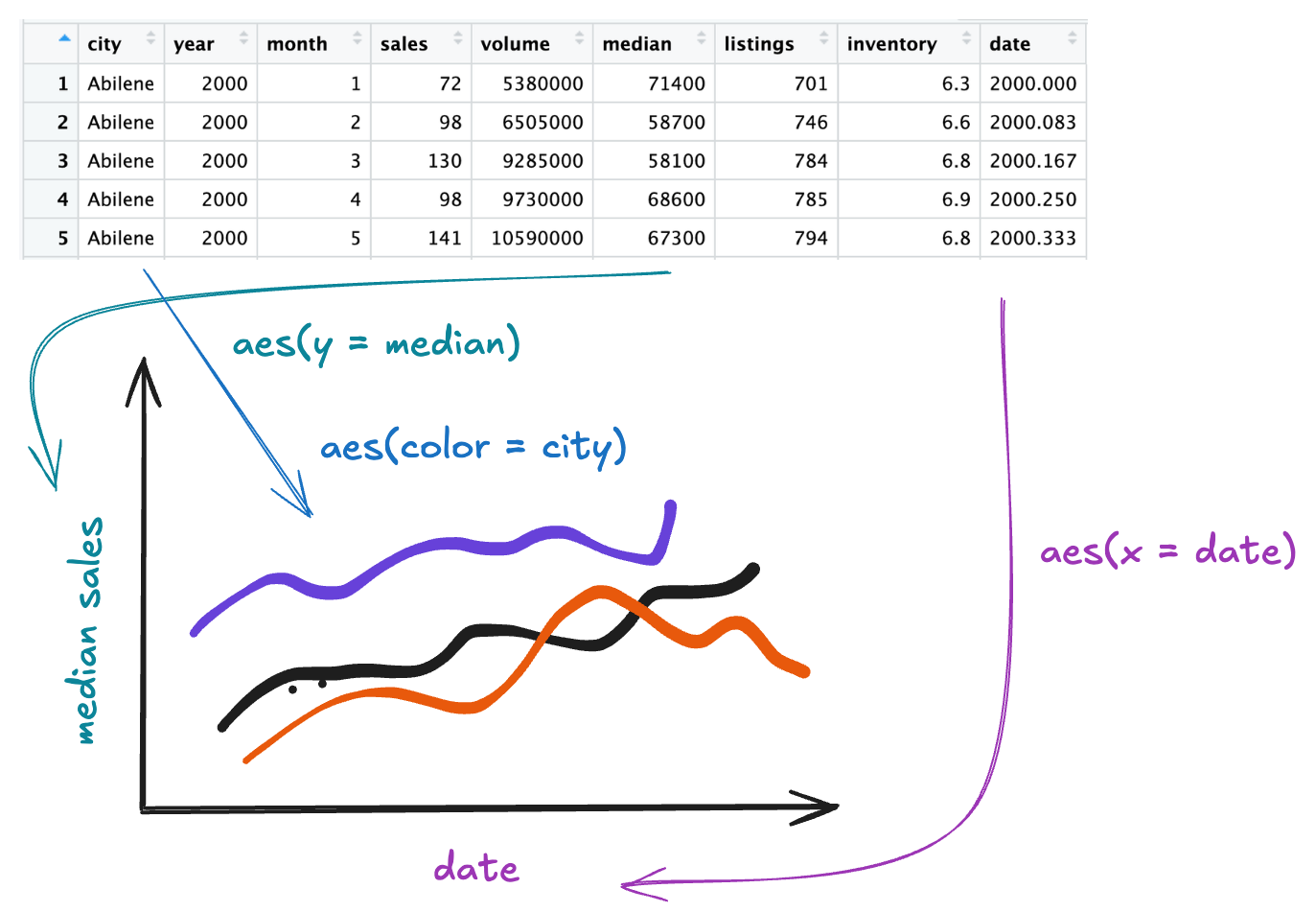
Think of a graph or a data visualization as a mapping…

  • FROM variables in the data set (or statistics computed from the data)…

  • TO visual attributes (or “aesthetics”) of marks (or “geometric elements”) on the page/screen.

Components of Grammar of Graphics

  • data: dataframe containing variables
  • aes : aesthetic mappings (position, color, symbol, …)
  • geom : geometric element (point, line, bar, box, …)
  • stat : statistical variable transformation (identity, count, linear model, quantile, …)
  • scale : scale transformation (log scale, color mapping, axes tick breaks, …)
  • coord : Cartesian, polar, map projection, …
  • facet : divide into subplots using a categorical variable

Aesthetics

We map variables (columns) from the data to aesthetics on the graphic useing the aes() function.

What aesthetics can we set?

  • x, y
  • color, fill
  • linetype
  • size
  • shape

(see ggplot2 cheat sheet for more)

Geometric Objects

We use a geom_xxx() function to represent data points.

one variable

  • geom_bar()
  • geom_density()
  • geom_histogram()
  • geom_boxplot()

two variable

  • geom_boxplot()
  • geom_point()
  • geom_line()

Tip

See ggplot2 cheat sheet for more!

How to Build a Graphic

To create a specific type of graphic, we will combine aesthetics and geometric objects.

Complete this template to build a basic graphic:

ggplot(
  data = <DATA>, 
  mapping = aes(<MAPPINGS>)
  ) +
  <GEOM FUNCTION>() + 
  any other arguments...
  • Every + to adds another layer to a graphic.

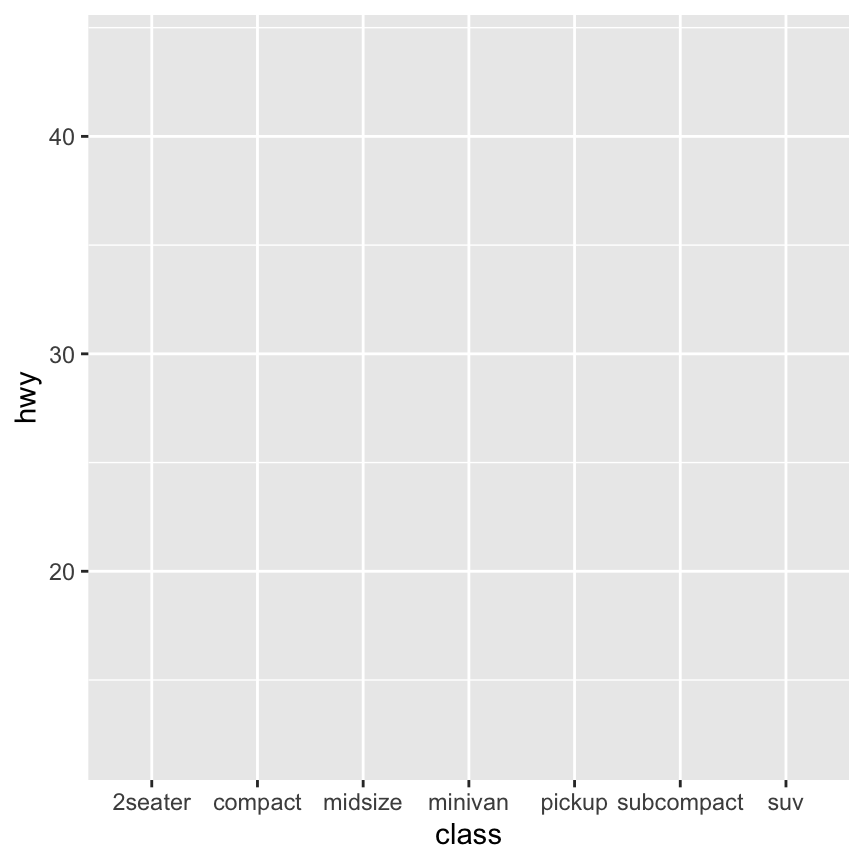
This begins a plot that you can add layers to:

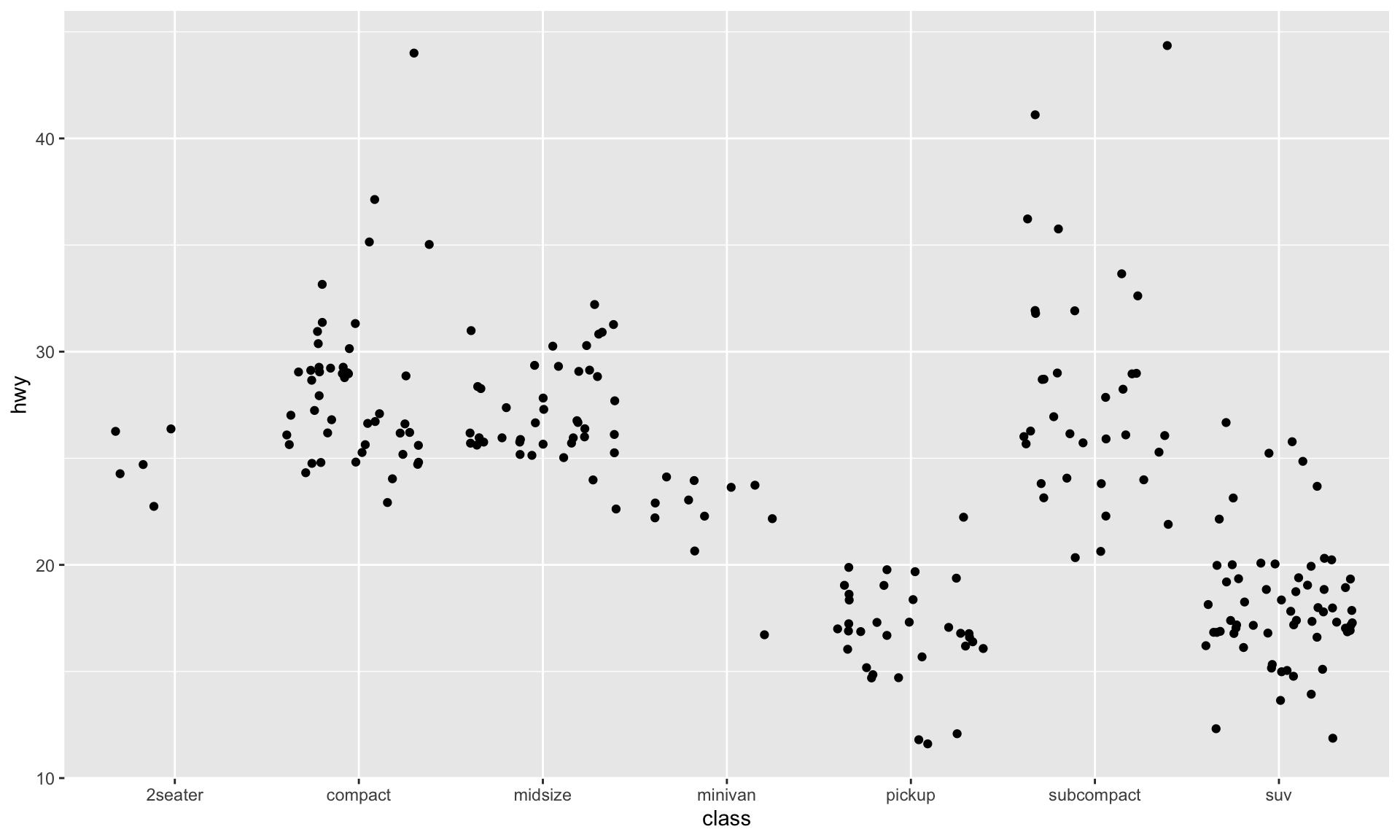
ggplot(data = mpg)

ggplot(data = mpg, 
       aes(x = class, y = hwy))

ggplot(data = mpg, 
       aes(x = class, y = hwy)) +
  geom_jitter()

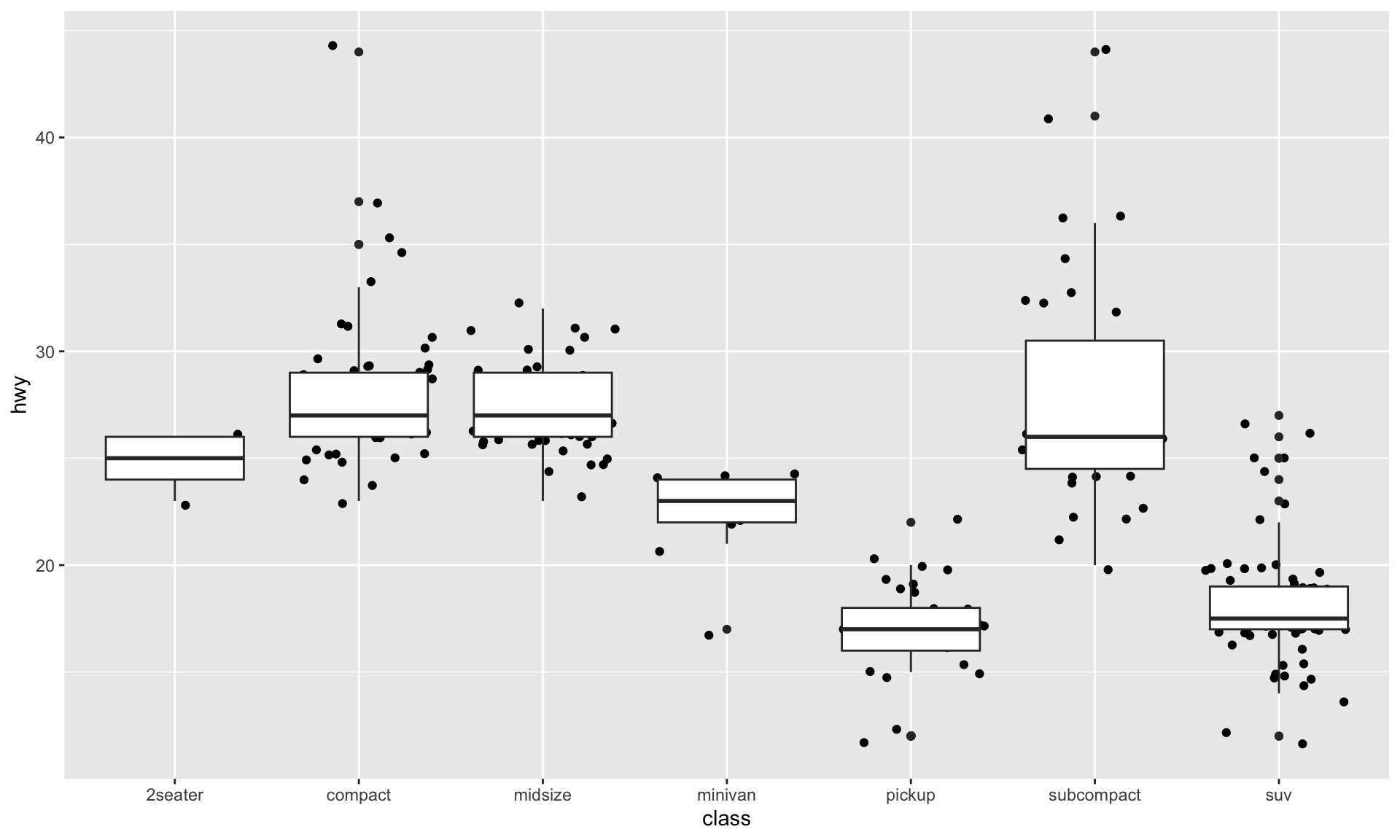
ggplot(data = mpg, 
       aes(x = class, y = hwy)) +
  geom_jitter() +
  geom_boxplot()

How would you make the points be on top of the boxplots?

Practice 🧩

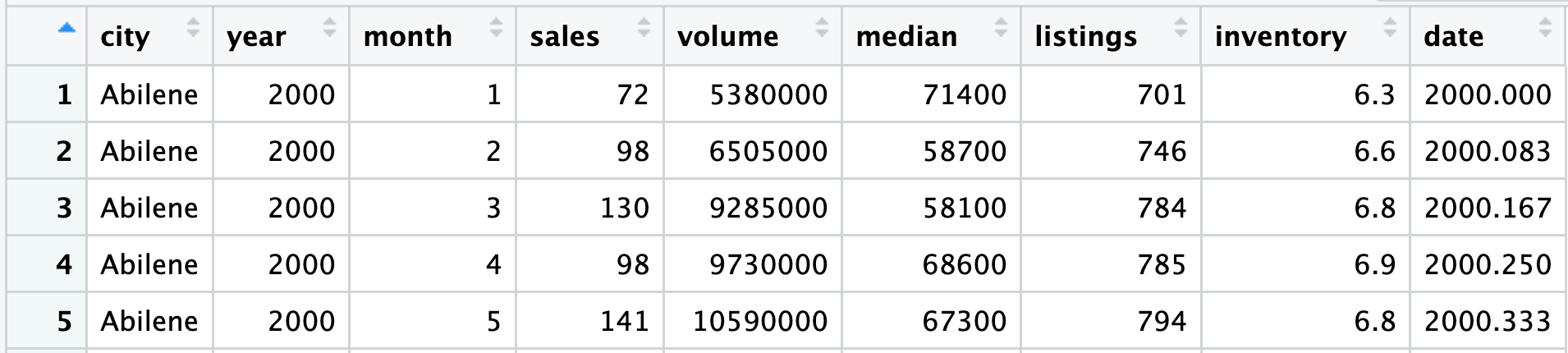
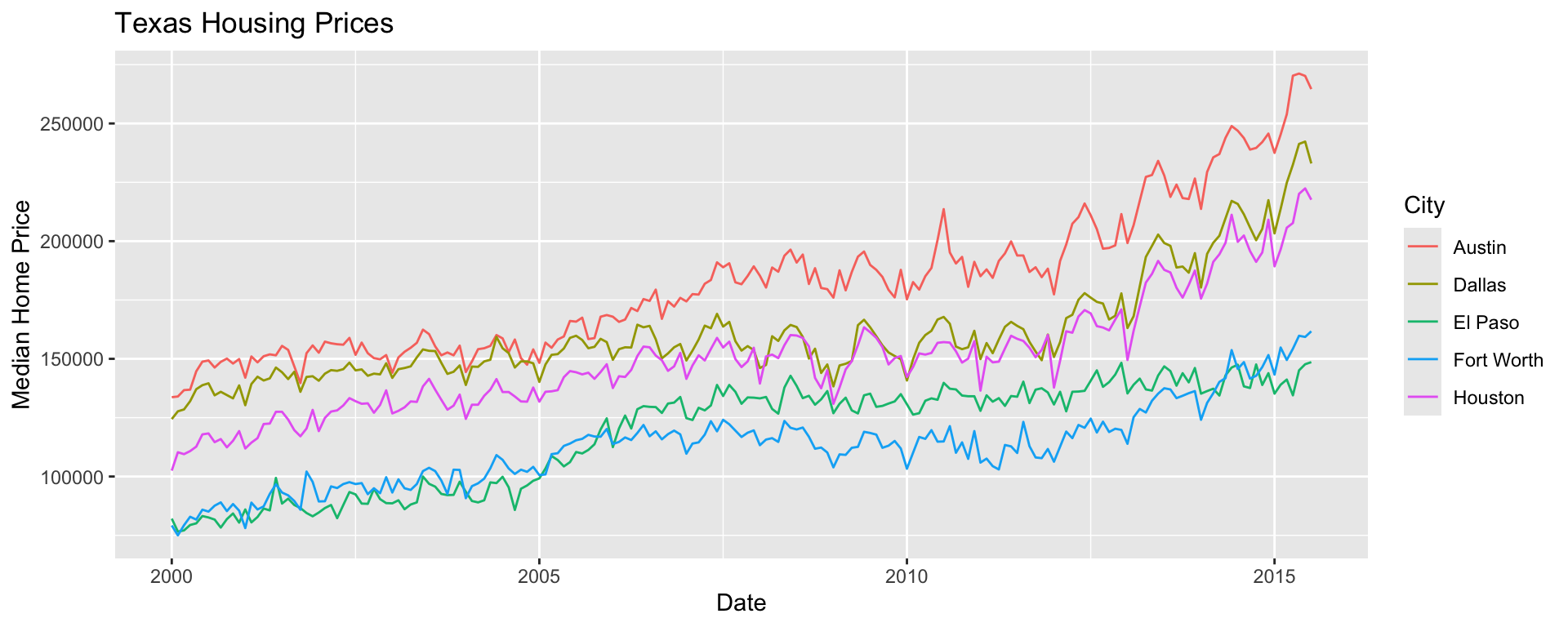
Start with TX housing data.

Make a plot of median house price over time, distinguishing between different cities.

Code
ggplot(data = sm_tx,
       aes(x = date, 
           y = median, 
           color = city)) + 
  geom_line() + 
  labs(x = "Date",
       y = "Median Home Price",
       title = "Texas Housing Prices",
       color = "City")

Global v. Local Aesthetics 🧩

Global Aesthetics

ggplot(data = mpg, 
       mapping = aes(x = class, 
                     y = hwy)) +
  geom_boxplot()

Local Aesthetics

ggplot(data = mpg) +
  geom_boxplot(mapping = aes(x = class, 
                             y = hwy))

Mapping v. Setting Aesthetics 🧩

Mapping Aesthetics

ggplot(data = mpg) +
  geom_jitter(mapping = aes(x = class, 
                             y = hwy,
                             color = class))

Setting Aesthetics

ggplot(data = mpg) +
  geom_jitter(mapping = aes(x = class, 
                             y = hwy),
               color = "steelblue")

Faceting

Extracts subsets of data and places them in side-by-side plots.
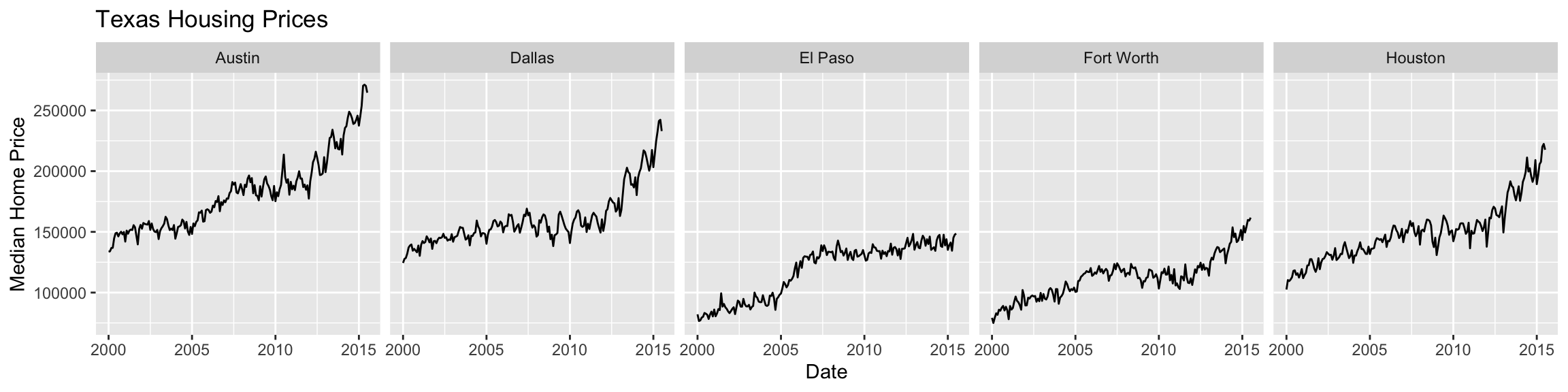
Code
ggplot(data = sm_tx,
       aes(x = date, y = median)) + 
  geom_line() + 
  facet_grid(cols = vars(city)) +
  labs(x = "Date",
       y = "Median Home Price",
       title = "Texas Housing Prices")

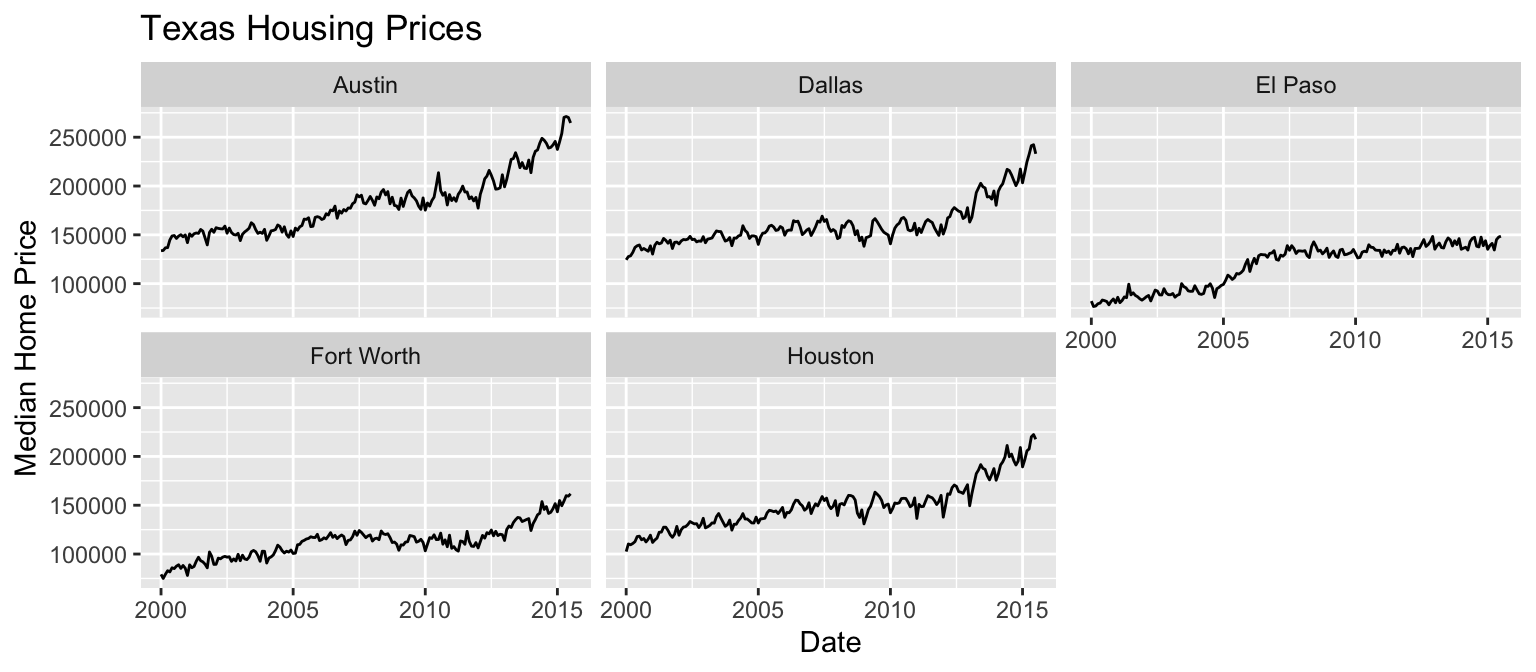
Code
ggplot(data = sm_tx,
       aes(x = date, y = median)) + 
  geom_line() + 
  facet_wrap(vars(city)) +
  labs(x = "Date",
       y = "Median Home Price",
       title = "Texas Housing Prices")

Faceting - details

Extracts subsets of data and places them in side-by-side plots.
  • facet_grid(cols = vars(b)): facet into columns based on b
  • facet_grid(rows = vars(a)): facet into rows based on a
  • facet_grid(rows = vars(a), cols = vars(b)): facet into both rows and columns
  • facet_wrap(vars(b)): wrap facets into a rectangular layout

You can set scales to let axis limits vary across facets:

facet_grid(rows = vars(a),
           cols = vars(b),
           scales = ______)

  • "fixed" – default, x- and y-axis limits are the same for each facet
  • "free" – both x- and y-axis limits adjust to individual facets
  • "free_x" – only x-axis limits adjust
  • "free_y" – only y-axis limits adjust

You can set a labeller to adjust facet labels.

Include both the variable name and factor name in the labels:

  • facet_grid(cols = vars(b), labeller = label_both)

Position Adjustements

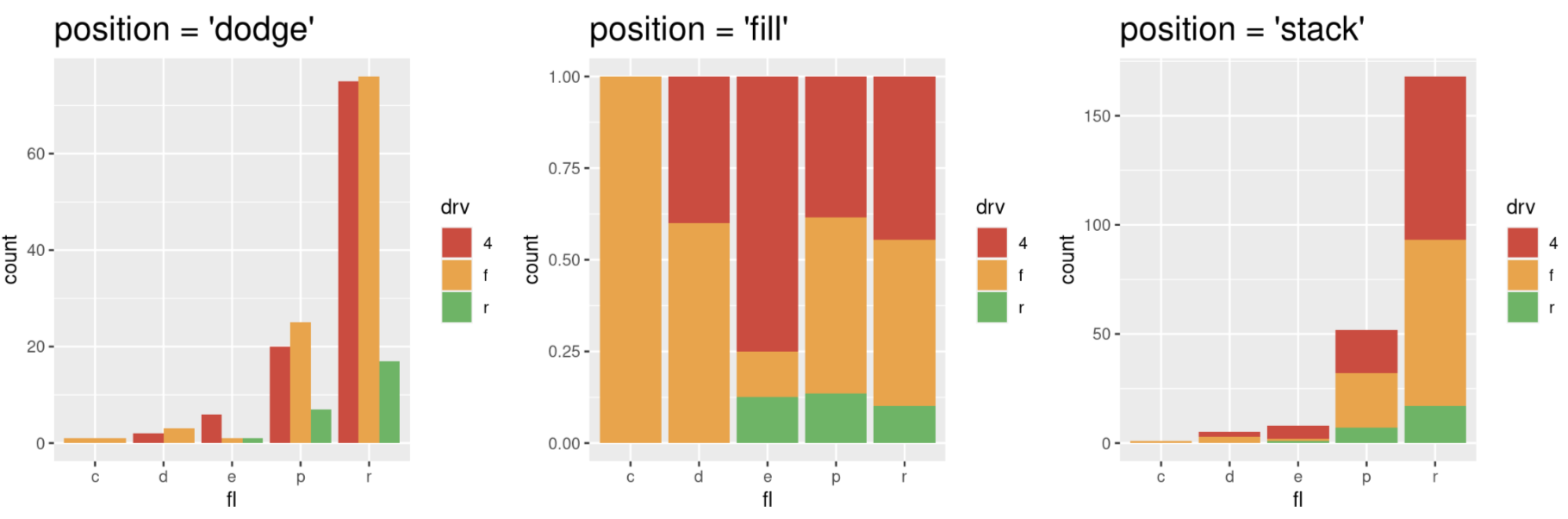
Position adjustments determine how to arrange geom’s that would otherwise occupy the same space.

  • position = 'dodge': Arrange elements side by side.
  • position = 'fill': Stack elements on top of one another + normalize height.
  • position = 'stack': Stack elements on top of one another.
  • position = 'jitter": Add random noise to X & Y position of each element to avoid overplotting (see geom_jitter()).

Position Adjustments

ggplot(mpg, aes(x = fl, fill = drv)) + 
  geom_bar(position = "_____")

Plot Customizations

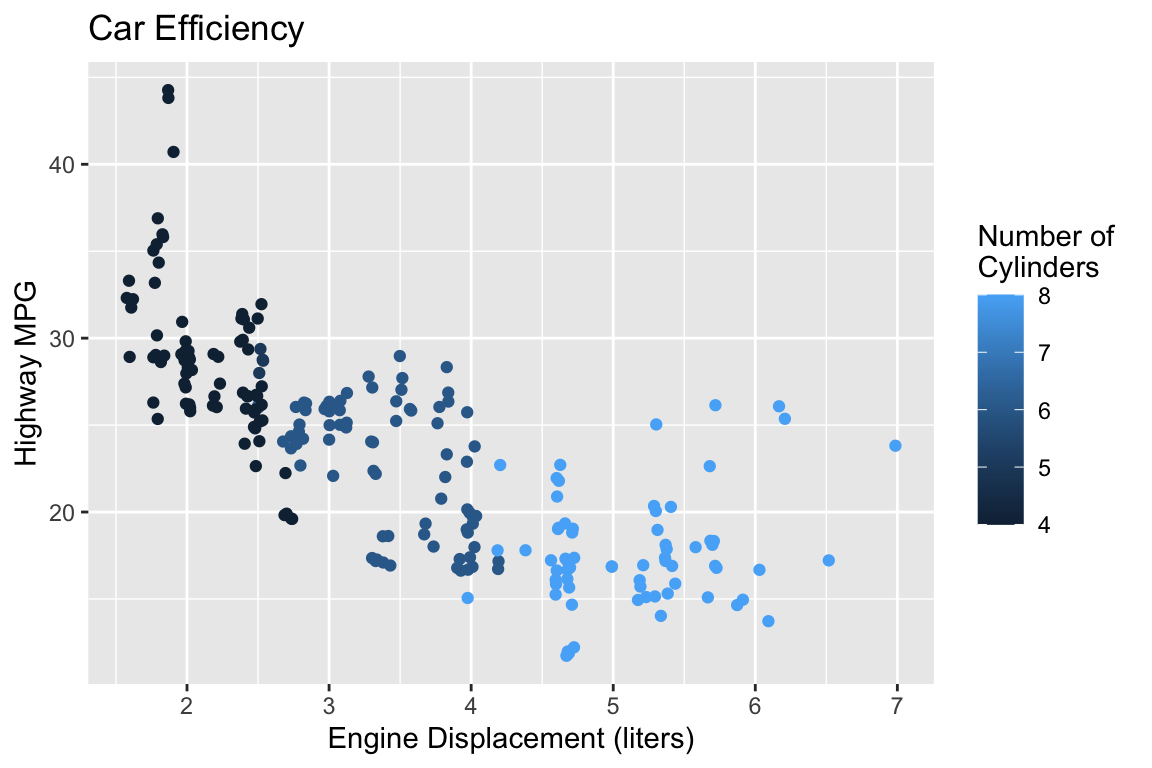
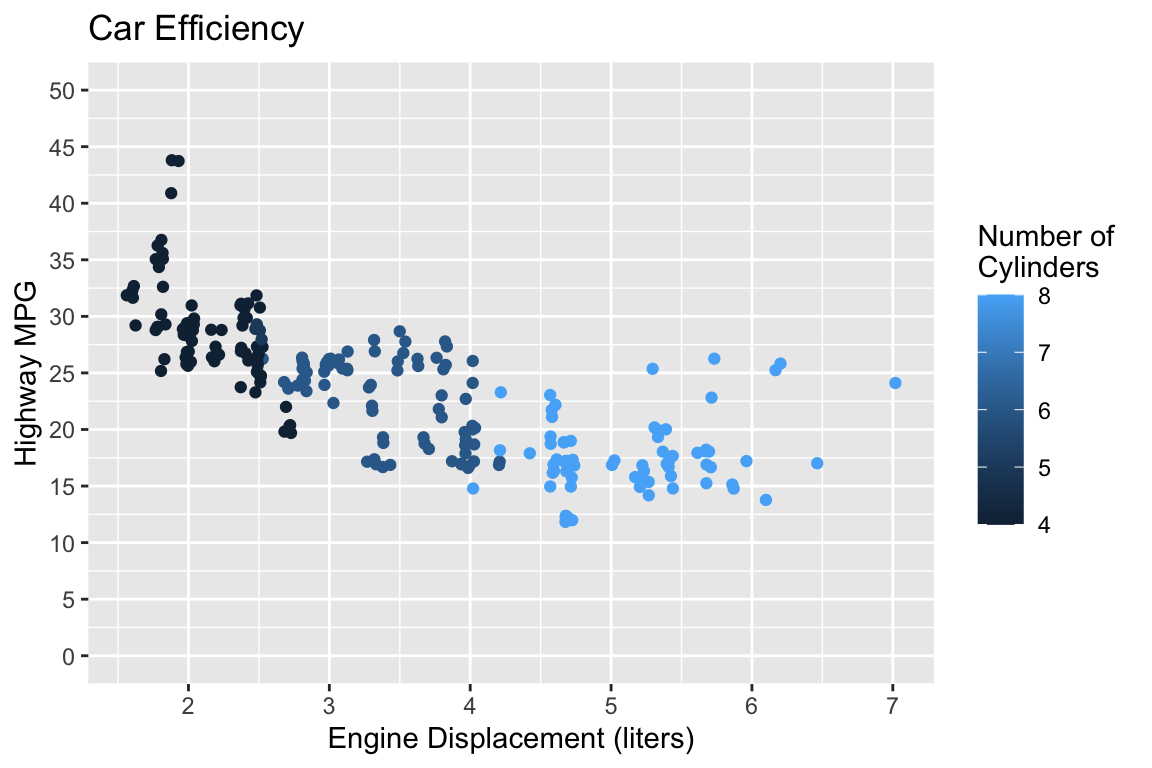
Code
ggplot(data = mpg) + 
  geom_jitter(mapping = aes(x = displ, y = hwy, color = cyl)) + 
  labs(x = "Engine Displacement (liters)", 
       y = "Highway MPG", 
       color = "Number of \nCylinders",
       title = "Car Efficiency")

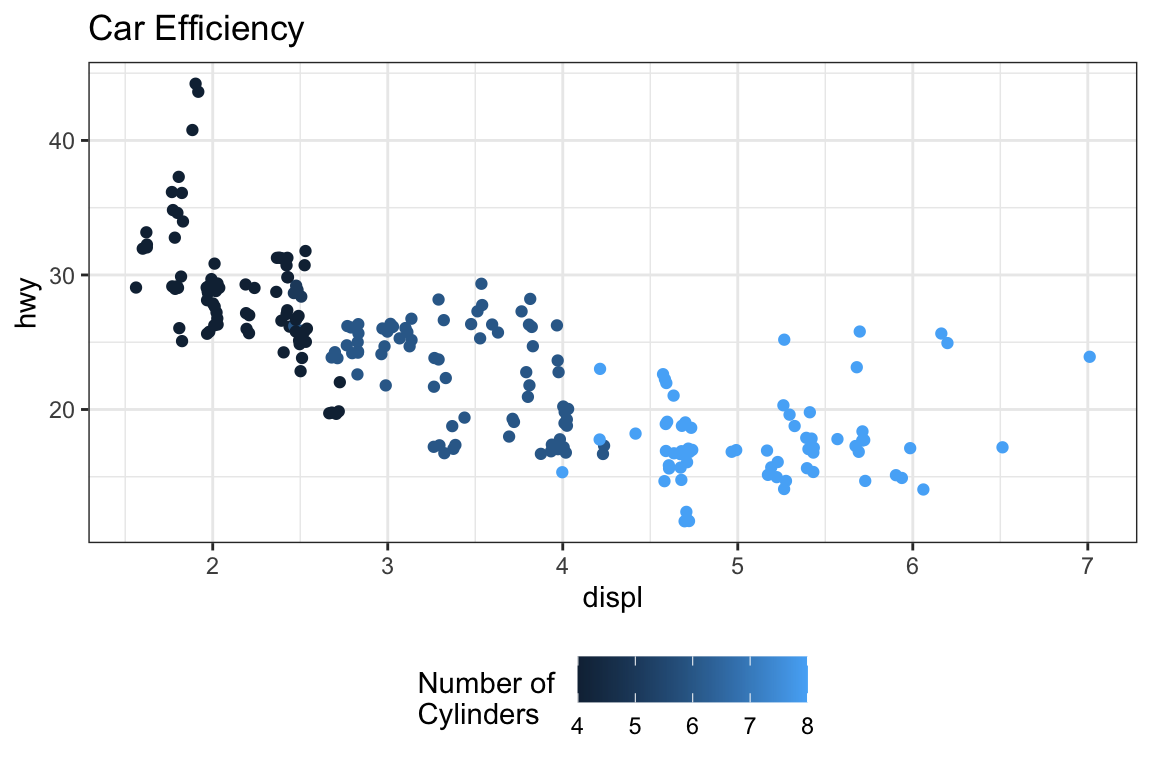
Code
ggplot(data = mpg) + 
  geom_jitter(mapping = aes(x = displ, y = hwy, color = cyl)) + 
  labs(xlab = "Engine Displacement (liters)", 
       ylab = "Highway MPG", 
       color = "Number of \nCylinders",
       title = "Car Efficiency") +
  theme_bw() +
  theme(legend.position = "bottom")

Code
ggplot(data = mpg) + 
  geom_jitter(mapping = aes(x = displ, y = hwy, color = cyl)) + 
  labs(x     = "Engine Displacement (liters)",
       color = "Number of \nCylinders",
       title = "Car Efficiency") +
  scale_y_continuous("Highway MPG", 
                     limits = c(0,50),
                     breaks = seq(0,50,5))

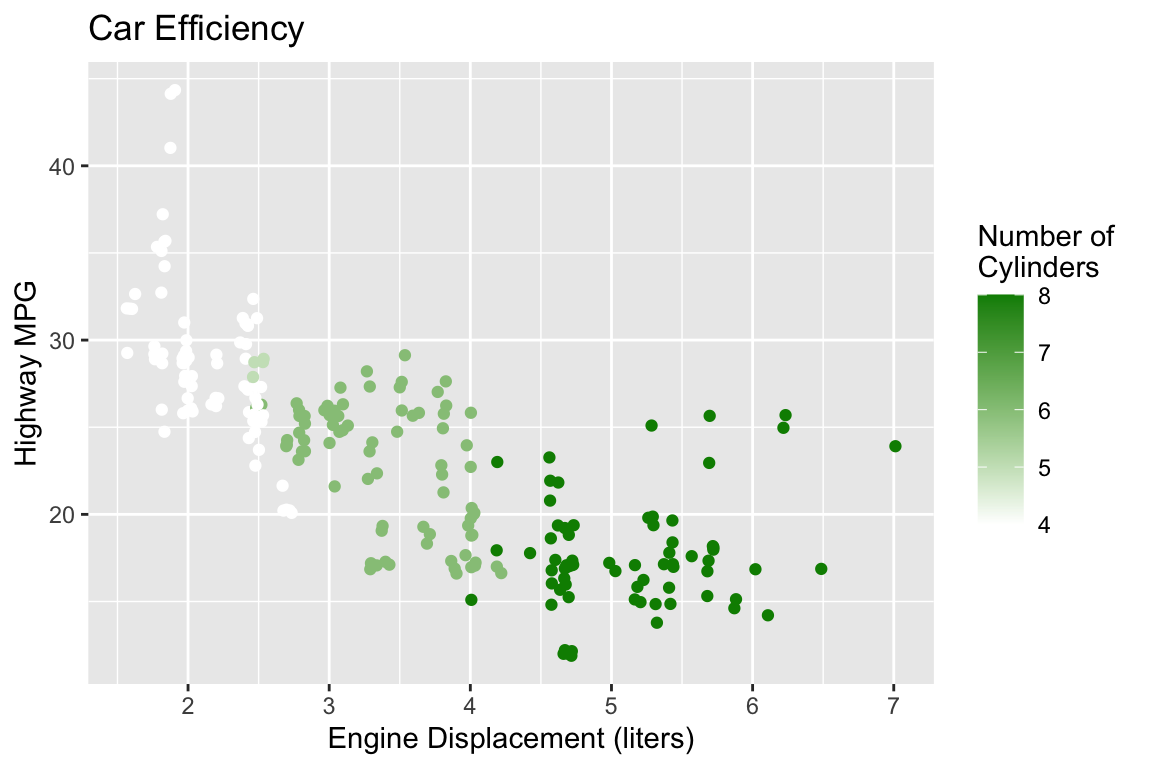
Code
ggplot(data = mpg) + 
  geom_jitter(mapping = aes(x = displ, y = hwy, color = cyl)) + 
  labs(x    = "Engine Displacement (liters)",
       y    = "Highway MPG",
       color = "Number of \nCylinders",
       title = "Car Efficiency") +
  scale_color_gradient(low = "white", high = "green4")

Formatting your Plot Code

It is good practice to put each geom and aes on a new line.

  • This makes code easier to read!
  • Generally: no line of code should be over 80 characters long.
ggplot(data = mpg, mapping = aes(x = cty, y = hwy, color = class)) + geom_point() + theme_bw() + labs(x = "City (mpg)", y = "Highway (mpg)")
ggplot(data = mpg, 
       mapping = aes(x = cty, 
                     y = hwy, 
                     color = class)) + 
  geom_point() + 
  theme_bw() + 
  labs(x = "City (mpg)", 
       y = "Highway (mpg)")
ggplot(data = mpg, 
       mapping = aes(x = cty, y = hwy, color = class)) + 
  geom_point() + 
  theme_bw() + 
  labs(x = "City (mpg)", y = "Highway (mpg)")

ggplot2 can basically do anything!

  • imagine the graphic you want to make, and the support exists for you to make it!

Some general resources:

Making your exact graphic:

PA 2: Using Data Visualization to Find the Penguins
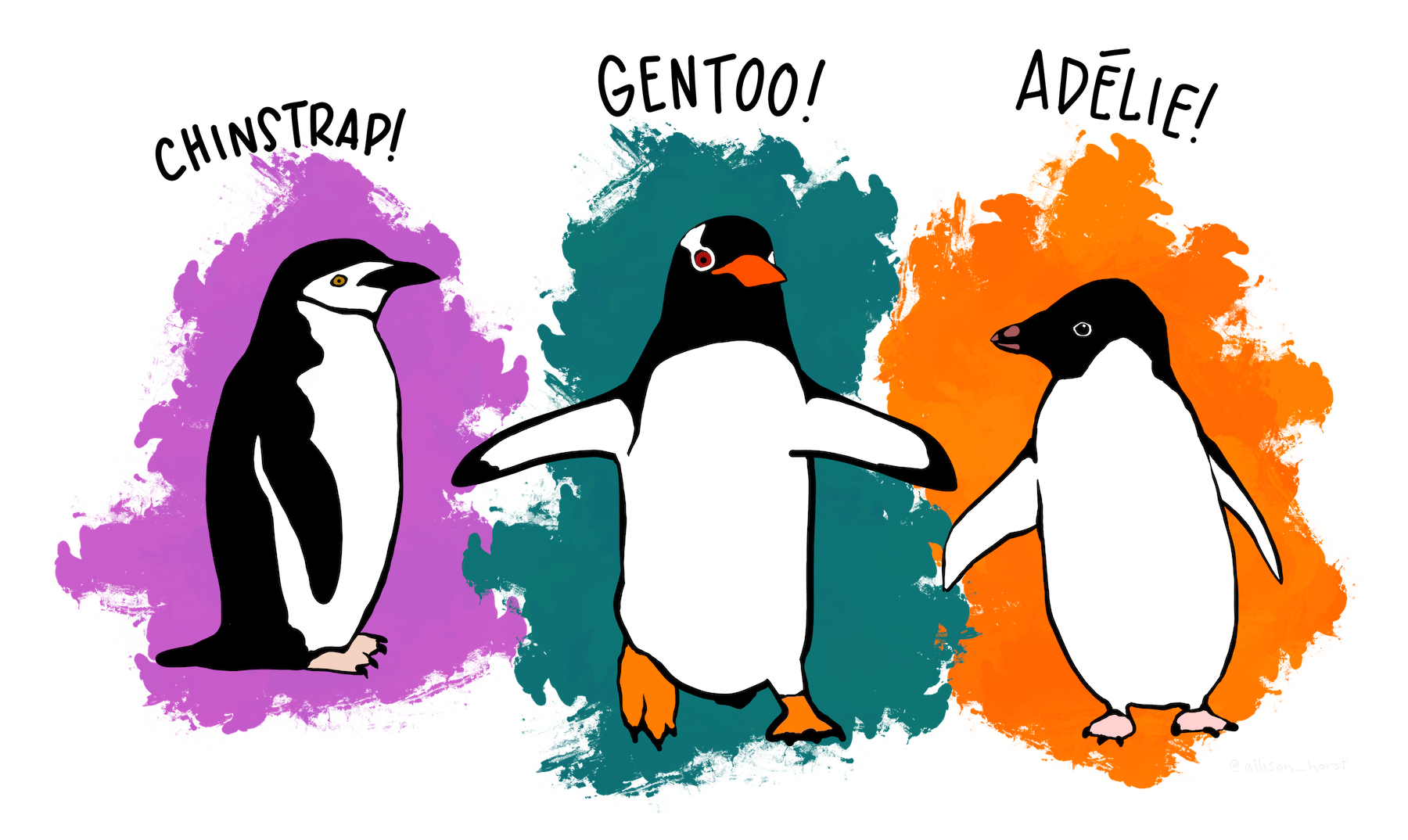
Artwork by Allison Horst

Collaborative Protocol

During your collaboration, your group will alternate between three roles:

  • Reads out the prompt and ensures the group understands what is being asked.
  • Manages resources (e.g., cheatsheets, textbook).
  • Answers Coder’s questions about syntax based on the resources.
  • Works with the group to debug the code.
  • Encourages the Coder to vocalize and explain their thinking.
  • Types the code specified by the Coder into the Quarto document.
  • Runs the code provided by the Coder.
  • Works with group to debug the code.
  • Evaluates the output against the question prompt.
  • Confirms they understand what the prompt is asking.
  • Talks with the group about their ideas.
  • Explains their thinking.
  • Directs the Computer what to type.
  • Works with the group to debug the code.

Submission

  • When you have completed the puzzle, you will submit the name of the poem on Canvas.
    • You can ask me if it is correct before you submit
  • You do not need to submit your code, but you should check your code against the solutions when they are posted! . . .

Starting Roles Today

The person whose family name starts first alphabetically starts as the project manager, second as the computer.

To do…

  • PA 2: Using Data Visualization to Find the Penguins
    • Due Tuesday (4/7) at 11:59pm
  • Reading and review
  • Lab 2: Exploring Rodents with ggplot2
    • Due Sunday (4/12) at 11:59 pm